Get an Office 365 A5 Subscription for Free (Updated for 2026)
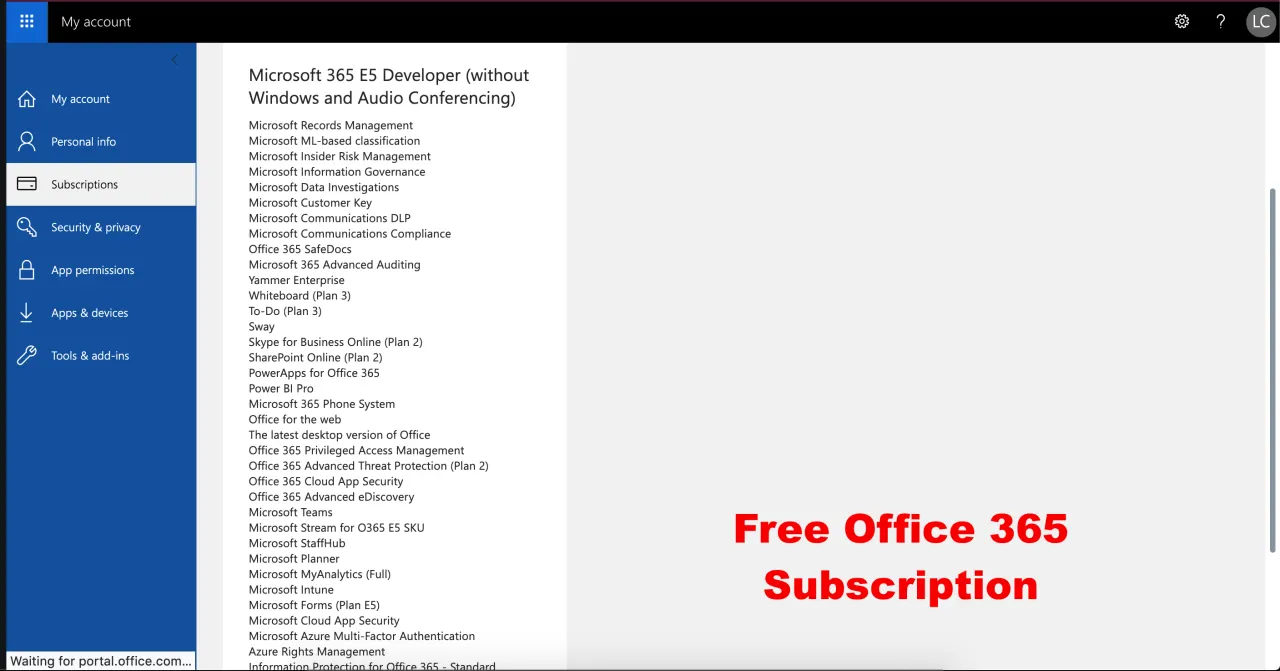
We previously shared a method for an Office A1 subscription using our temp mail (this service is now closed). After seeing how much interest our readers had in that service, today we are sharing a method to get an Office 365 A5 subscription for free using the Microsoft 365 E5 Developer subscription.
An Office 365 A5 subscription costs $6 per user per month, but with this method you can get it for free. You will also get an admin account, which means you can create 24 more users with the same Office 365 A5 subscription (these accounts last for 3 months).
If you have no idea about the office A5 subscription you can learn about it from this link.
What Does It Include?
The Office A5 subscription includes the following benefits. However, we cannot guarantee that you will get all of them with our method.
- Azure Active Directory Premium P1
- Azure Active Directory Premium P2
- Azure Advanced Threat Protection
- Azure Information Protection Premium P1
- Azure Information Protection Premium P2
- Customer Lockbox
- Exchange Online (Plan 2)
- Flow for Office 365
- Information Protection for Office 365: Premium
- Information Protection for Office 365: Standard
- Microsoft Azure Active Directory Rights
- Microsoft Azure Multi-Factor Authentication
- Microsoft Cloud App Security
- Microsoft Forms (Plan E5)
- Microsoft Intune
- Microsoft MyAnalytics (Full)
- Microsoft Planner
- Microsoft StaffHub
- Microsoft Stream for O365 E5 SKU
- Microsoft Teams
- Mobile Device Management for Office 365
- Office 365 Advanced eDiscovery
- Office 365 Advanced Security Management
- Office 365 Advanced Threat Protection (Plan 1)
- Office 365 Advanced Threat Protection (Plan 2)
- Office 365 Privileged Access Management
- Office 365 ProPlus
- Office Online
- Phone System
- Power BI Pro
- PowerApps for Office 365 Plan 3
- SharePoint Online (Plan 2)
- Skype for Business Online (Plan 2)
- Sway
- To-Do (Plan 3)
- Whiteboard (Plan 3)
- Yammer Enterprise
Now let's look at how to get these benefits.
Prerequisite:
To get an Office 365 A5 subscription for free, you need an Office 365 account with an A1 subscription. You can get one with the .edu email address your university gives you.
Method to Get an Office 365 A5 Subscription for Free:
Now that you have an account with an Office A1 subscription, follow the steps below:
- Log in to your Office 365 account that has the Office A1 subscription.
- Open this link in a new tab.
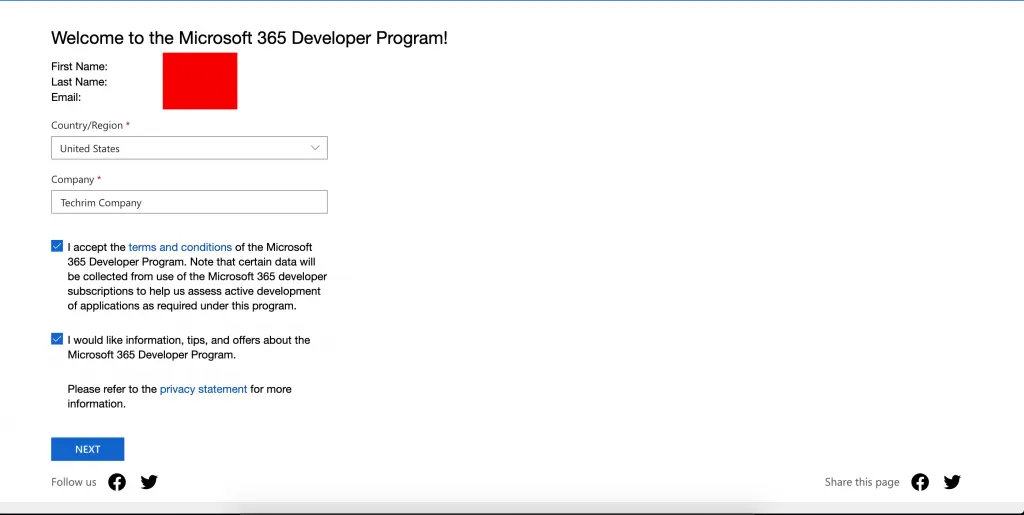
- Select US as the region, enter any random name under Company and click "Next".
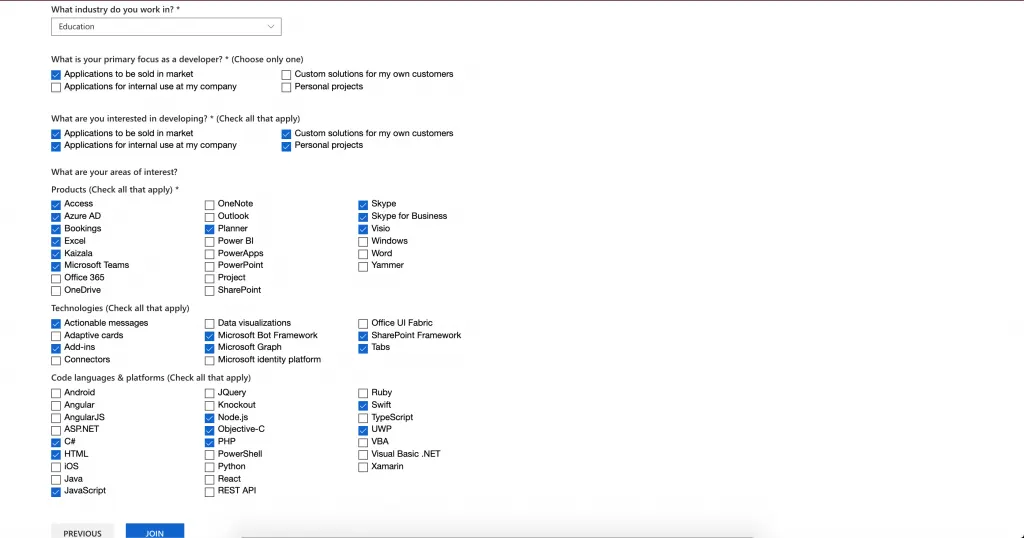
Get Office 365 A5 Subscription for Free - Select "Education" under What industry do you work in?, tick any of the boxes, then click "Join". Now the Office A5 subscription is activated.
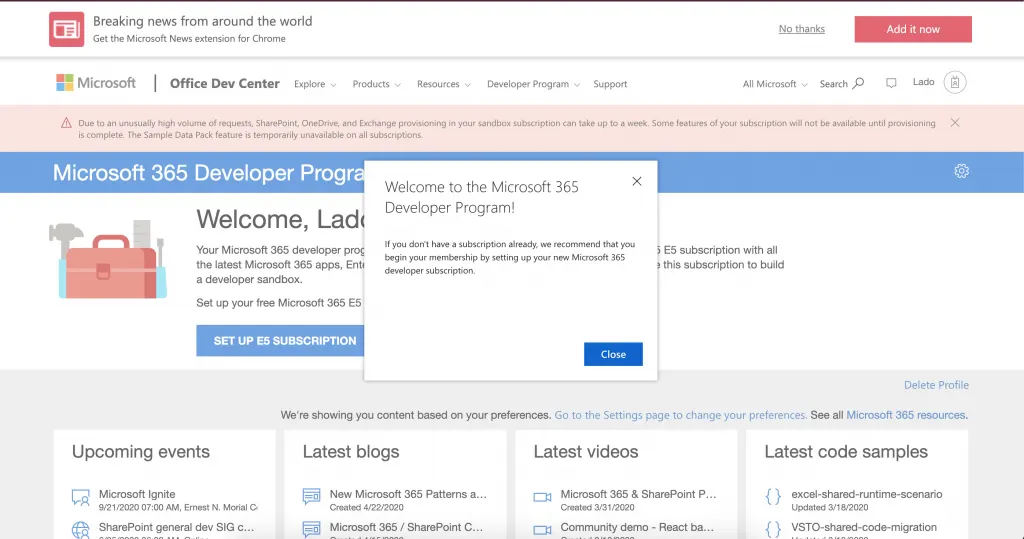
Get Office 365 A5 Subscription for Free - Click "SET UP E5 SUBSCRIPTION", fill in a username, domain and password of your choice, and click "Continue".
Get Office 365 A5 Subscription for Free 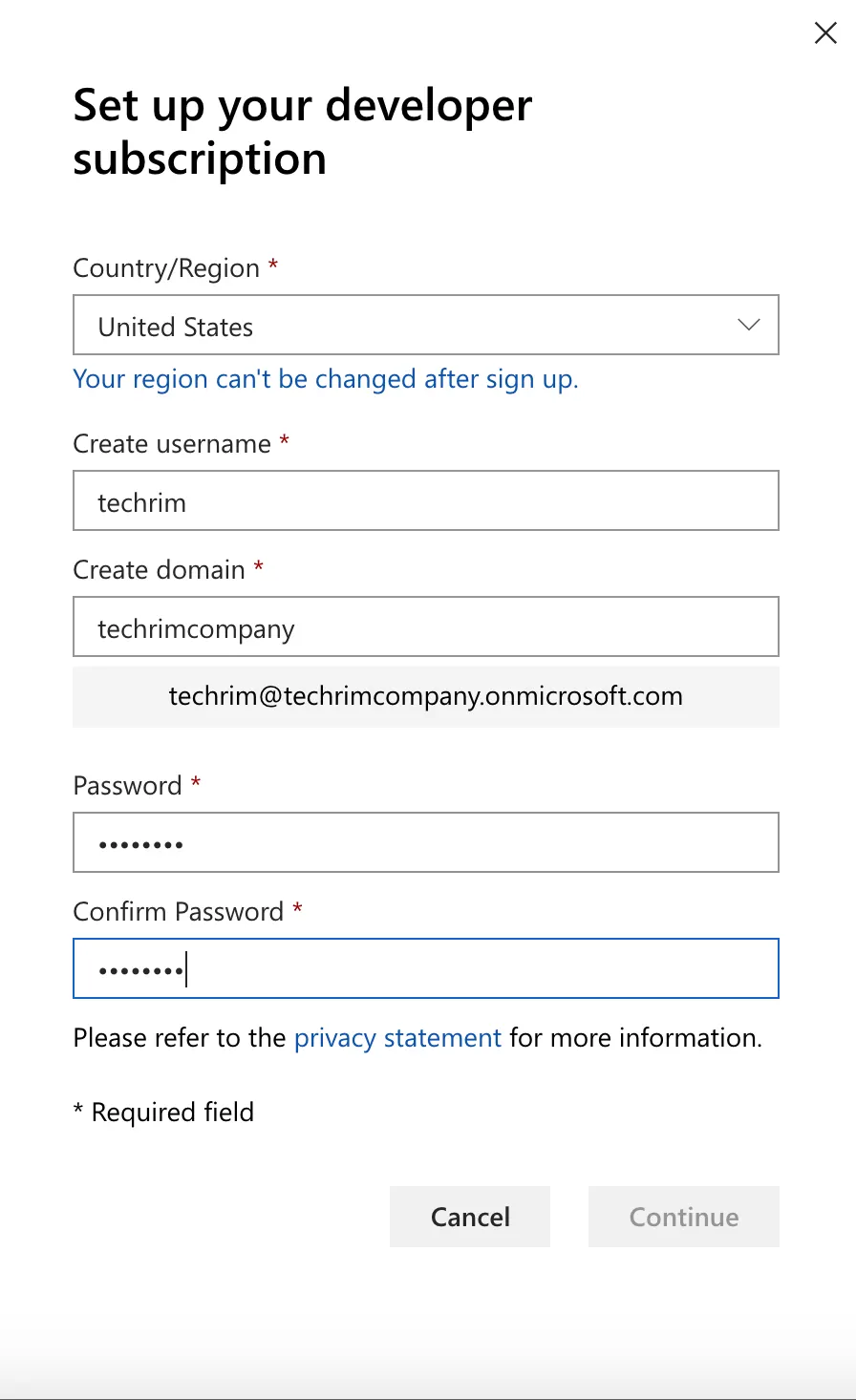
Get Office 365 A5 Subscription for Free - Enter your phone number and type in the OTP code you receive. Microsoft detects VoIP numbers, so I suggest using your own number.
- After you enter the OTP, it takes some time to set up the Office A5 subscription.
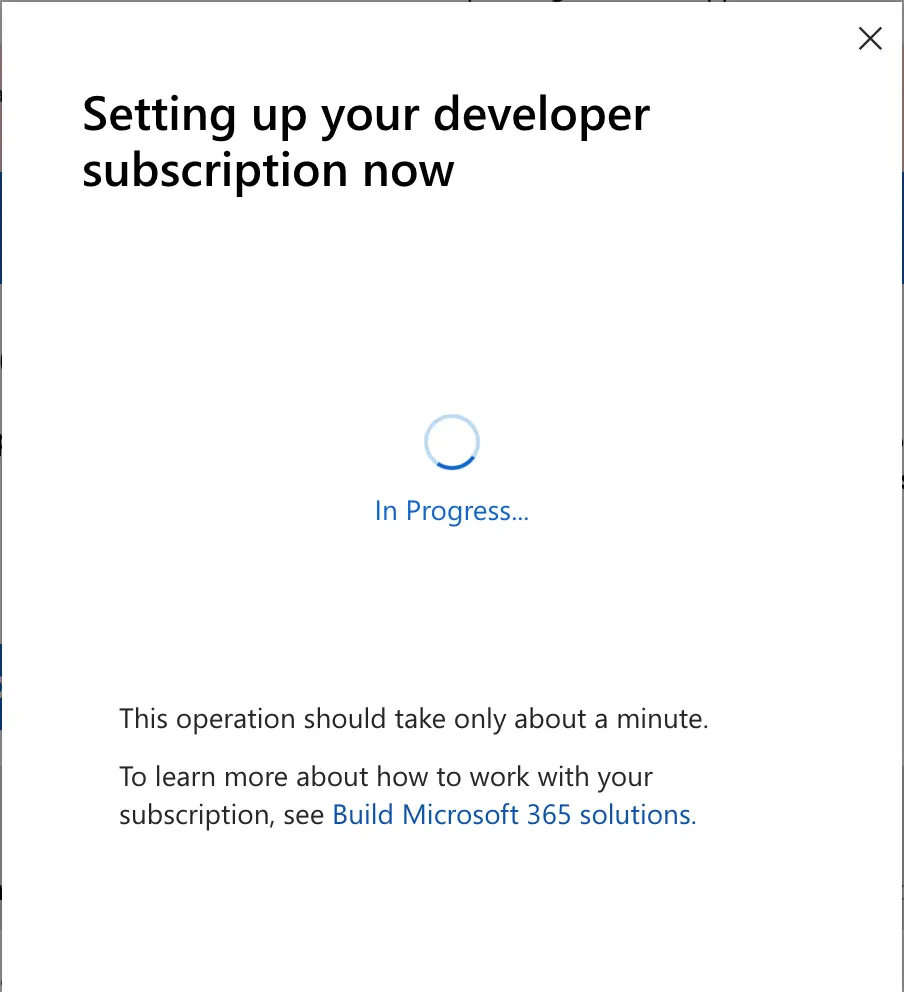
Get Office 365 A5 Subscription for Free - Once the process is complete, you will get an admin account with the Office A5 subscription.
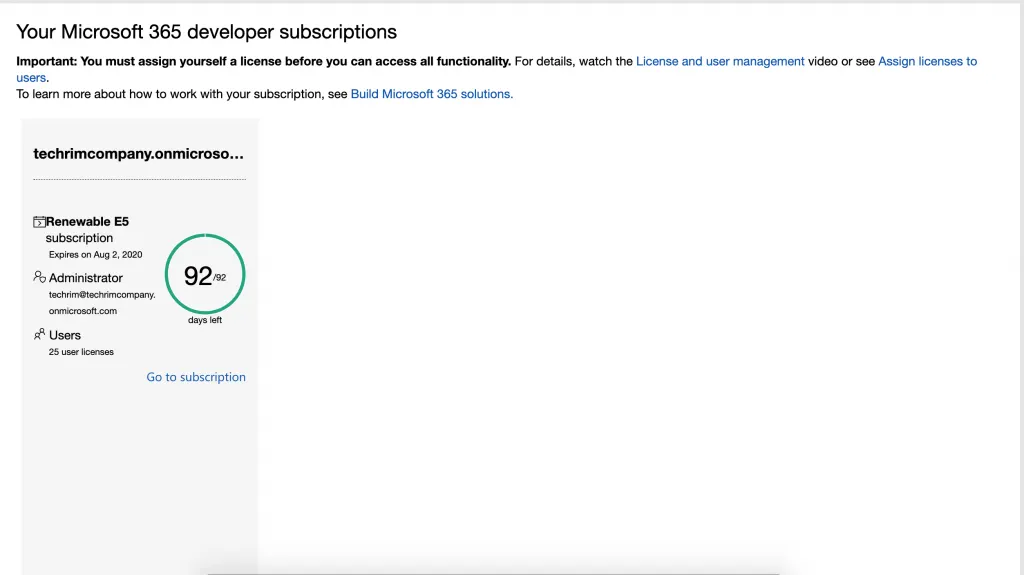
Get Office 365 A5 Subscription for Free You can use this A5 subscription to get your own custom domain email address. To learn how, read here.
How to Add Users to Your Office 365 A5 Subscription
- After you have created the Office 365 A5 subscription, click "Manage subscription".
- You will be redirected to the login page. Enter the password you set up in step 5.
- Click "Admin". This takes you to the admin page of your Office 365 A5 subscription.
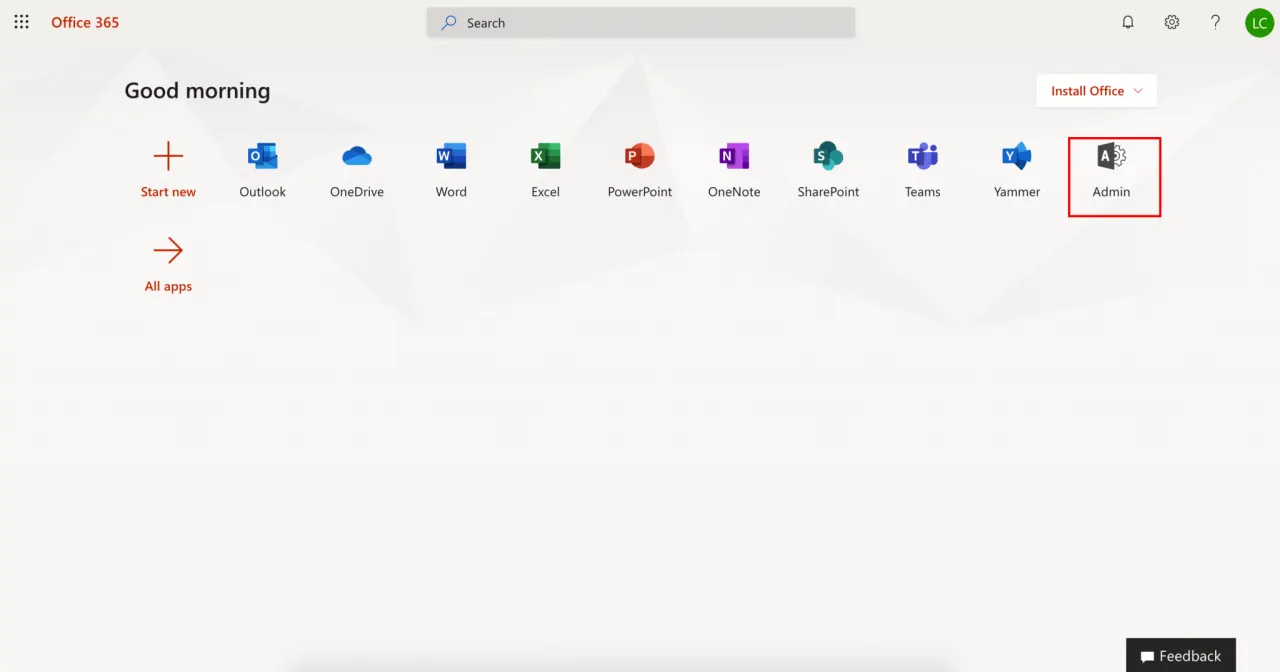
Get Office 365 A5 Subscription for Free - Click Users > Active users. This lists all the active users.
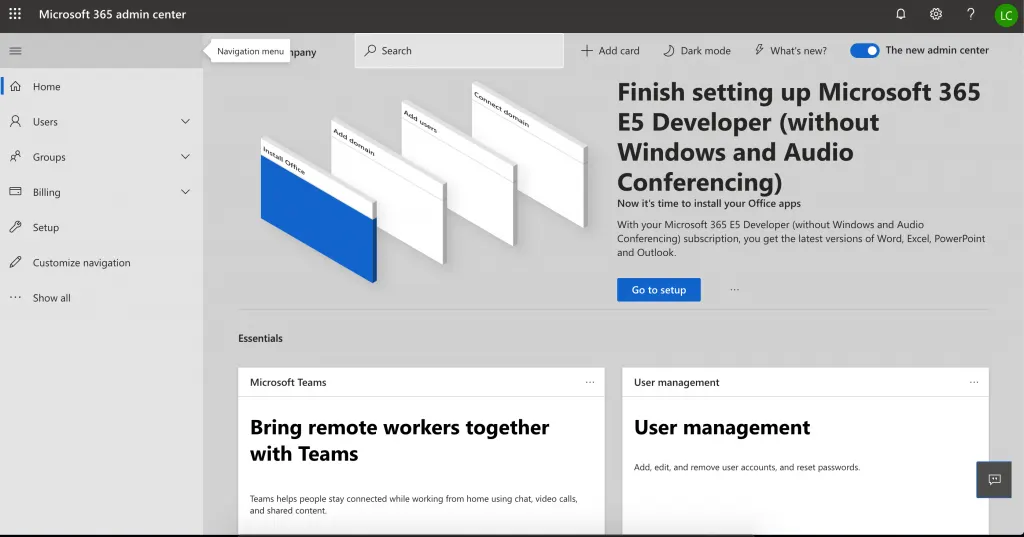
Get Office 365 A5 Subscription for Free 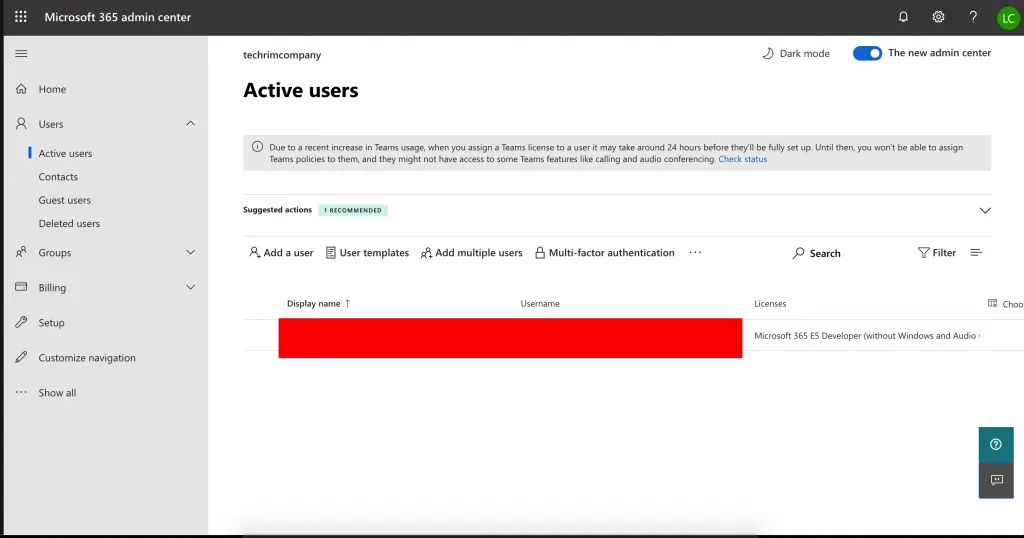
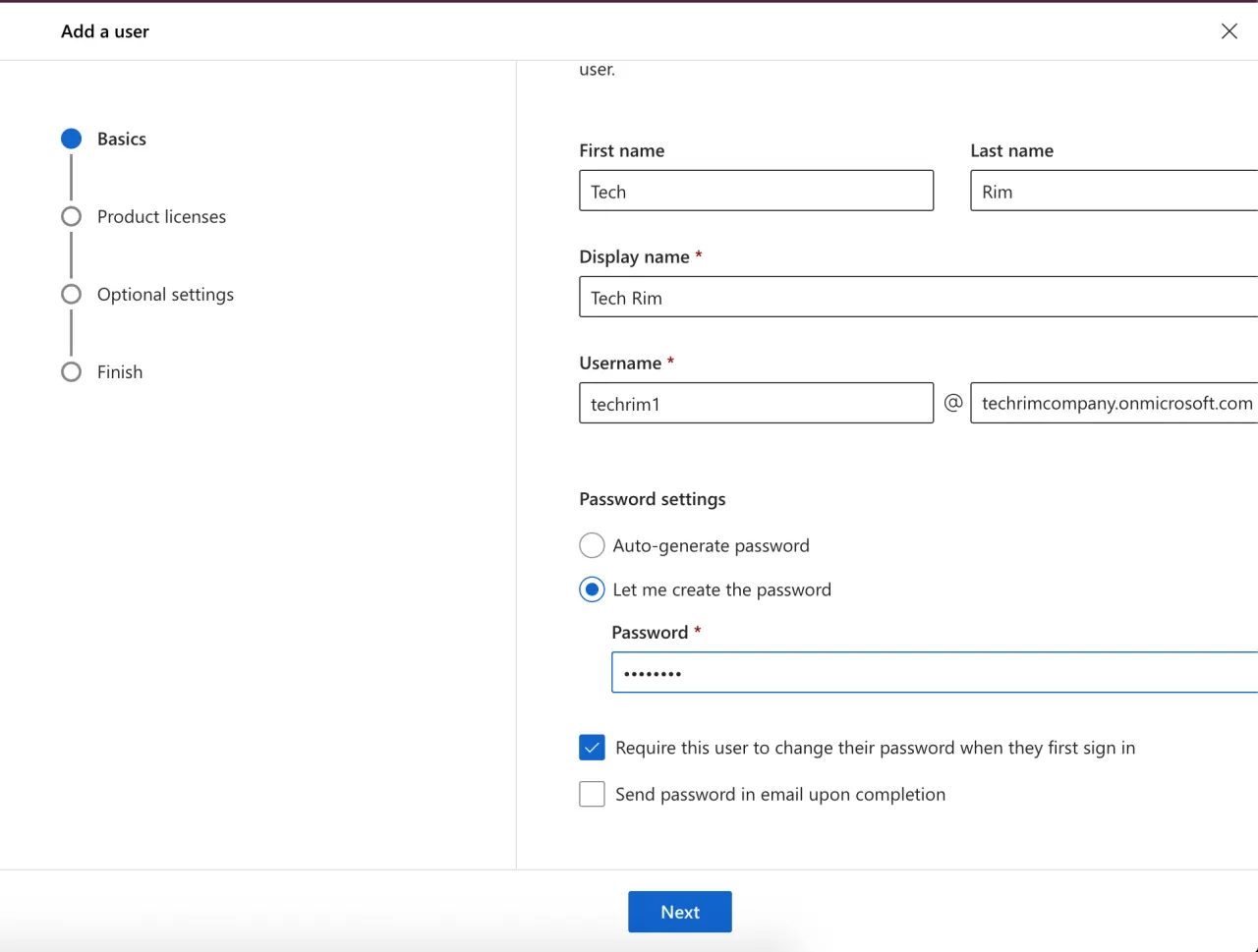
Get Office 365 A5 Subscription for Free - To add a user, click "Add user" and enter details such as first name and last name.
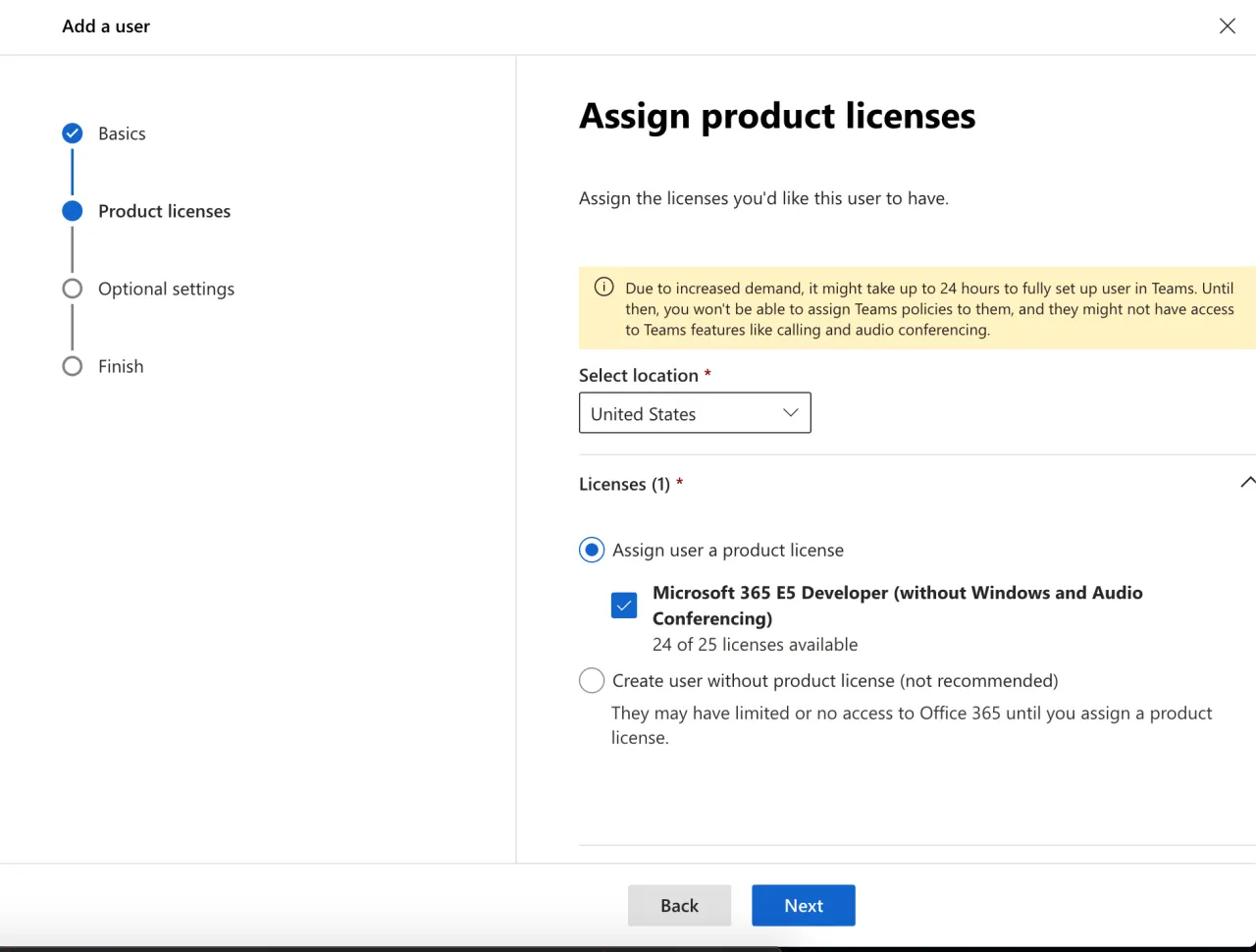
Get Office 365 A5 Subscription for Free - Then assign the Office 365 A5 subscription and click "Next".
Get Office 365 A5 Subscription for Free
You have now created a new user with the same Office 365 A5 subscription. That's all for today's tutorial. We have shared a method to get an Office 365 A5 subscription for free, and to create and assign other users to your subscription (up to 24 users). We hope you find it useful.