Read Any Article for Free: How to Bypass Paywall Subscriptions (Updated for 2026)
Read any article for free: whether you are reading the news or tutorials and write-ups on the internet, we have all been in a situation where a website asks us to subscribe to continue reading. If you have faced this, there is no need to pay anymore. Here are a few methods you can use to bypass it.
Summary
If you don't have time to read the whole article, here is a quick summary of what we are going to do. We will use an add-on for Chrome, Firefox or other browsers by Adam to bypass the subscription system on sites that use paywalls as their payment gateway, or we will use some cookie tricks on sites.
That's the quick overview of this article. The full method is explained below.
Read any articles for Free
Method 1: Plugin Bypass
For the first method, we are going to use a plugin that bypasses the subscribe-to-read feature on most sites that use Newspaper themes and paywalls.
Sites Supported by This Method:
Baltimore Sun (baltimoresun.com )
Barron’s (barrons.com )
Bloomberg (bloomberg.com )
Caixin (caixinglobal.com)
Chemical & Engineering News (cen.acs.org)
Central Western Daily (centralwesterndaily.com.au)
Chicago Tribune (chicagotribune.com)
Crain’s Chicago Business (chicagobusiness.com)
Corriere Della Sera (corriere.it)
Daily Press (dailypress.com)
Denver Post (denverpost.com)
De Tijd (tijd.be)
de Volkskrant (volkskrant.nl)
The Economist (economist.com )
Examiner (examiner.com.au)
Financial Times (ft.com)
Foreign Policy (foreignpolicy.com)
Glassdoor (glassdoor.com)
Haaretz (haaretz.co.il / haaretz.com )
Handelsblatt (handelsblatt.com)
Hartford Courant (courant.com)
Harvard Business Review (hbr.org )
Inc.com (inc.com)
Investors Chronicle (investorschronicle.co.uk)
Irish Times (irishtimes.com)
La Repubblica (Repubblica.it)
Le Temps (letemps.ch)
Los Angeles Times (latimes.com)
Medium (medium.com )
Medscape (medscape.com )
MIT Technology Review (technologyreview.com )
Mountain View Voice (mv-voice.com)
National Post (nationalpost.com)
New Statesman (newstatesman.com)
New York Magazine (nymag.com)
Nikkei Asian Review (asia.nikkei.com)
NRC (nrc.nl)
Orange County Register (ocregister.com)
Orlando Sentinel (orlandosentinel.com)
Palo Alto Online (paloaltoonline.com )
Quora (quora.com )
SunSentinel (sun-sentinel.com)
Tech in Asia (techinasia.com )
The Advocate (theadvocate.com.au)
The Age (theage.com.au)
The Australian (theaustralian.com.au)
The Australian Financial Review (afr.com)
The Boston Globe (bostonglobe.com)
The Globe and Mail (theglobeandmail.com)
The Herald (theherald.com.au)
The Japan Times (japantimes.co.jp)
TheMarker (themarker.com)
The Mercury News (mercurynews.com)
The Morning Call (mcall.com )
The Nation (thenation.com )
The New York Times (nytimes.com )
The New Yorker (newyorker.com )
The News-Gazette (news-gazette.com)
The Saturday Paper (thesaturdaypaper.com.au)
The Spectator (spectator.co.uk)
The Business Journals (bizjournals.com)
The Seattle Times (seattletimes.com)
The Sydney Morning Herald (smh.com.au)
The Telegraph (telegraph.co.uk )
The Times (thetimes.co.uk )
The Toronto Star (thestar.com)
The Washington Post (washingtonpost.com)
The Wall Street Journal (wsj.com)
Towards Data Science (towardsdatascience.com)
Vanity Fair (vanityfair.com)
Wired (wired.com )
Steps:
- Download the extension source from GitHub and extract it on your computer.
For Chrome: https://github.com/iamadamdev/bypass-paywalls-chrome
For Mozilla Firefox: https://github.com/iamadamdev/bypass-paywalls-firefox/
I am using Opera for this tutorial, so I will be using the Chrome extension. - Go to your browser's extension settings.

Read any articles for Free - Enable developer mode.

Read any articles for Free - Click Load unpacked.
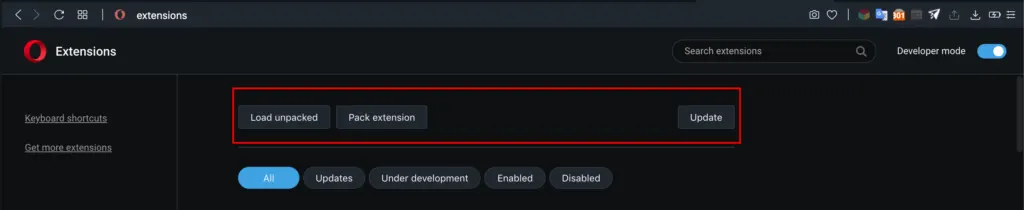
Read any articles for Free - Select the source folder you just extracted, then select all the sites and click Done.
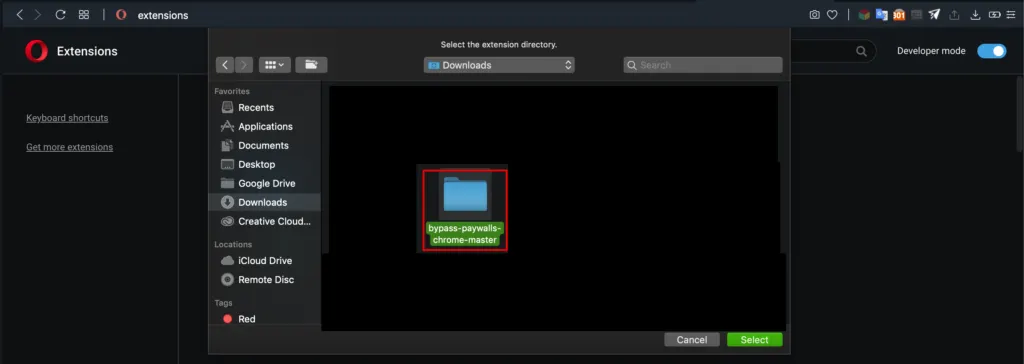
Read any articles for Free - Now open the sites that asked for payment before. The payment system is now bypassed.
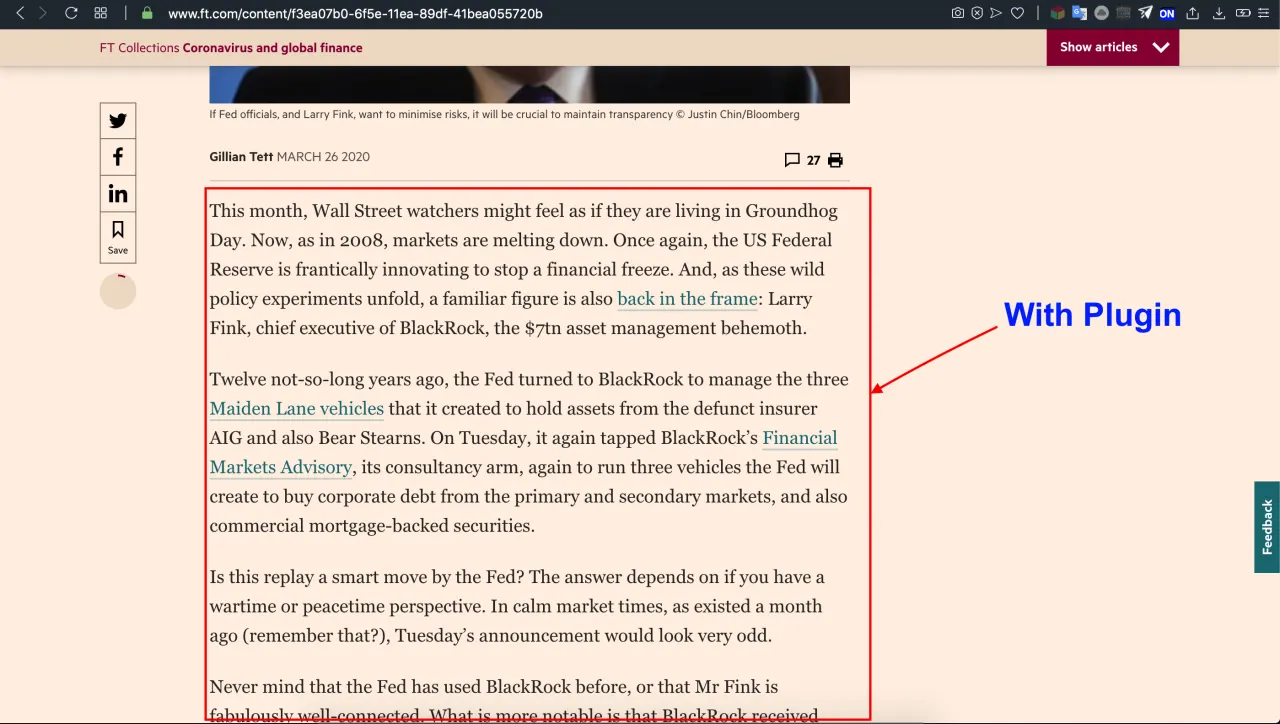
Here is a site after using the extension.
Video Tutorial:
Here is a video explanation of the method:
Method 2: Clearing Cookies
Many sites, such as Medium, offer a few articles for free and then ask for payment to read more. You can bypass this by clearing your cookies or using a VPN. This works well on most sites, including the New York Times and plenty of others. It is the simplest way around any paywall, and the steps are very simple. Almost every browser has an Incognito window option, and your history is not recorded when you browse in an Incognito window.
Method 3: Using a Third-Party App
Use outline.com to bypass newspaper paywalls and read unlimited premium articles for free.
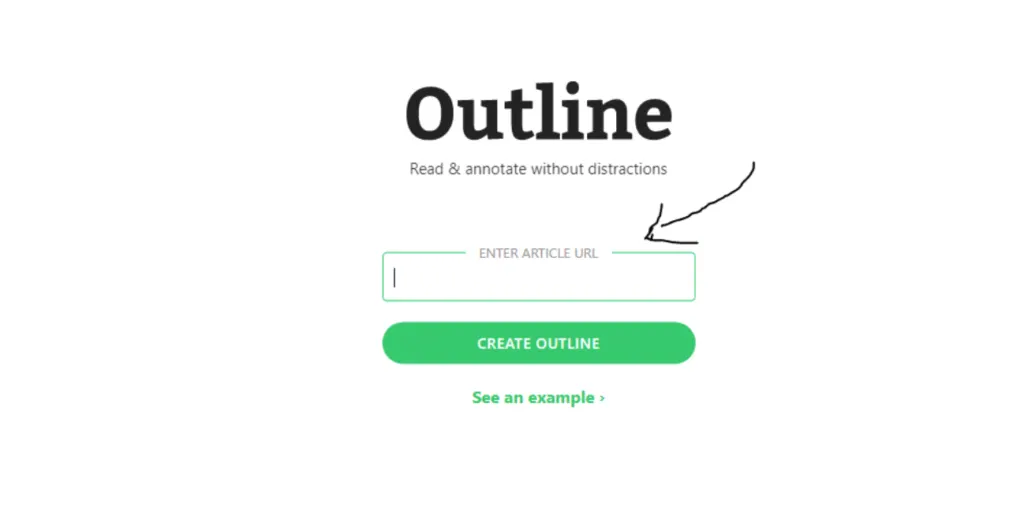
- Visit Outline.com
- Open the New York Times, Medium, WSJ, Washington Post, Business Insider, Financial Times or any other site whose paywall you want to bypass.
- Copy the link to the article.
- Paste it into the search box on Outline.com
- Press Enter.
- You can now read unlimited articles for free.
This way you can bypass any subscribe-to-read feature.