Skillshare Free: Download Any Course From Skillshare (Updated for 2026)
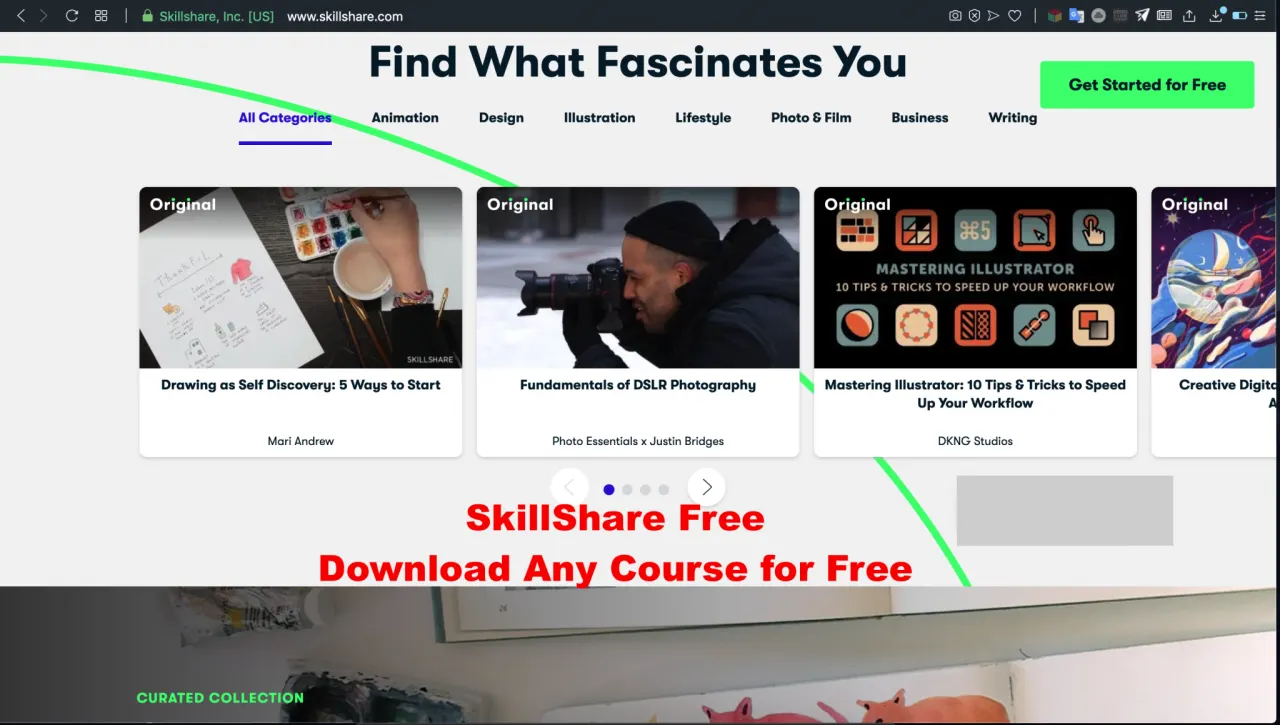
Skillshare Free
What Is Skillshare?
Skillshare is an American online learning community for people who want to learn from educational videos. It had free as well as premium subscriptions. The monthly package costs $15 per month, while the annual plan is $8.25 per month, or $99 per year (billed annually). But with our method, you can download any course from Skillshare for free.
Skillshare Free
Credits?
Credit goes to the original owner of the script, who made the downloader, and to TechRim member @beast076, who edited the script to make it easy to use and to save the courses to Google Drive. This method was shared on other forums before it was posted here, so you may have seen it before.
With this method, all the videos of the course you want are saved to your Google Drive.
Short Summary of the Process:
We will run a Python script in Colab that downloads the course and saves it to our Drive. The process has four steps. The first step is to give the code access to Google Drive so the downloaded course can be saved there. The second step is installing the requirements in the cloud. The third step is downloading the course from Skillshare, and the final step is moving the files to Google Drive. This way, we can get any course from Skillshare for free.
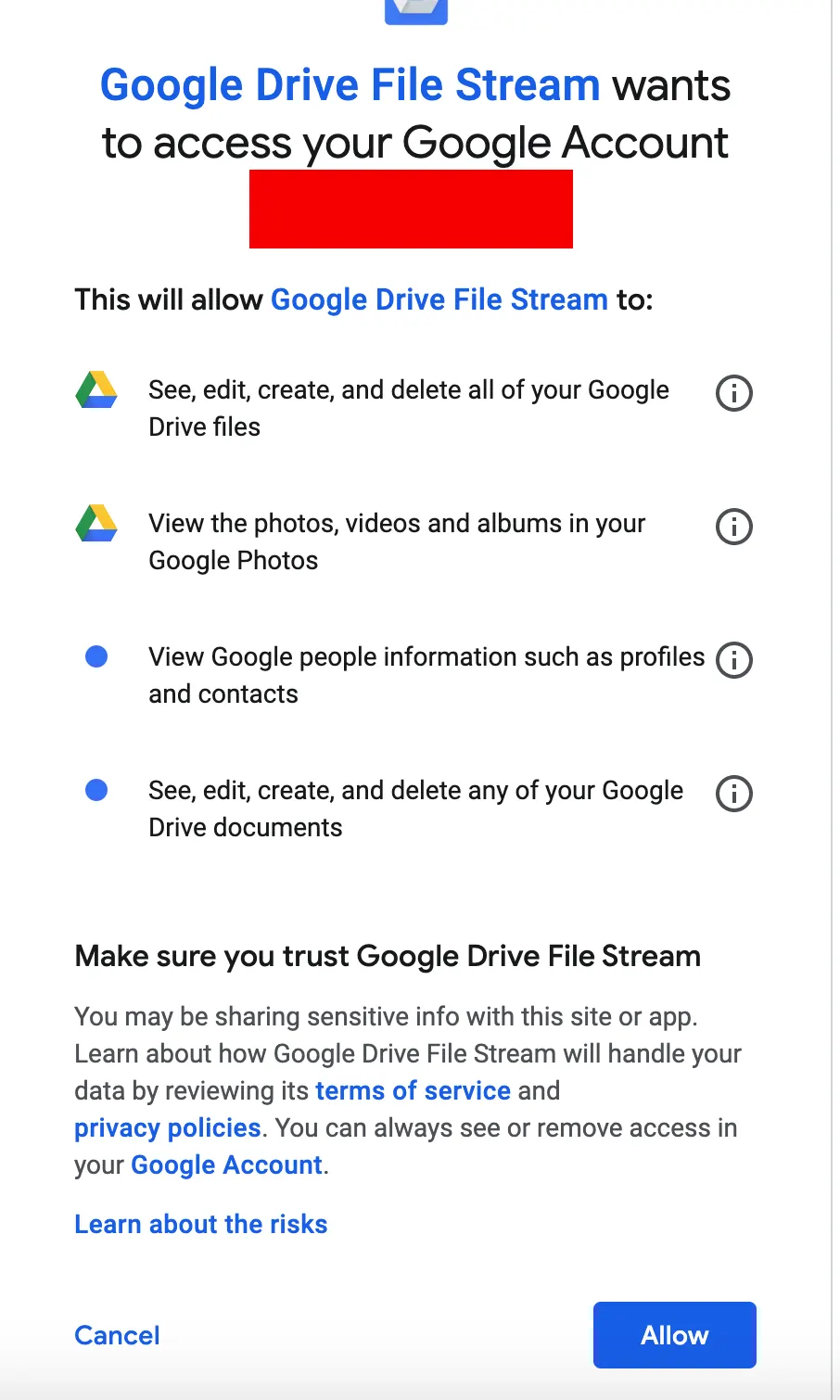
Note: The script asks you to grant read and write access to Google Drive. This is only to move the downloaded course to your Drive and nothing more. The script is safe, and if you still have doubts, you can check the code on GitHub, as it is open source.
Also Read: Read any articles for Free | How To Bypass Paywalls Subscription
Steps:
Now that you know the basic idea, let’s go through the steps in detail.
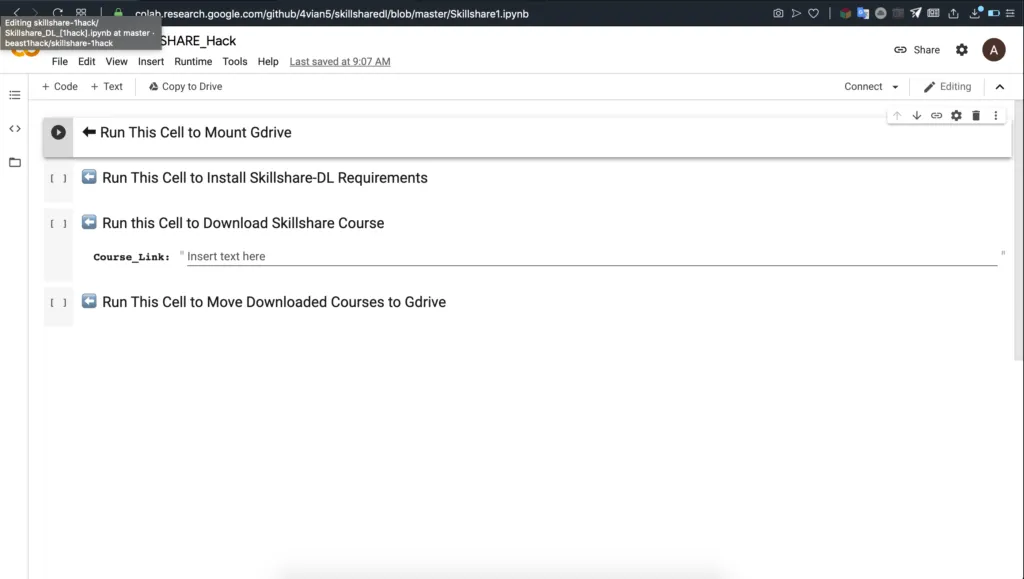
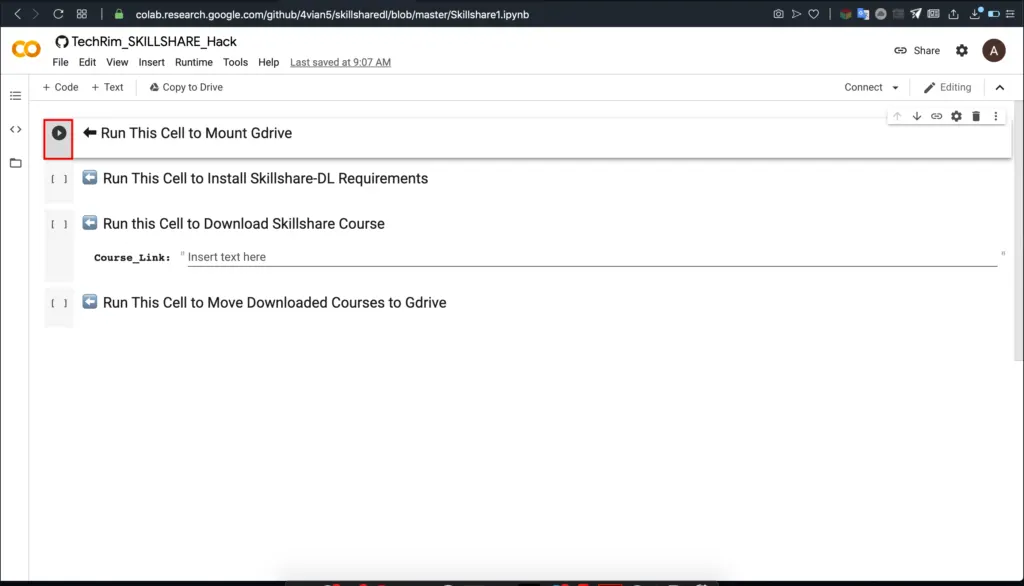
- Open this link and wait a little while for the script to load: https://colab.research.google.com/github/4vian5/skillsharedl/blob/master/Skillshare1.ipynb
Skillshare Free
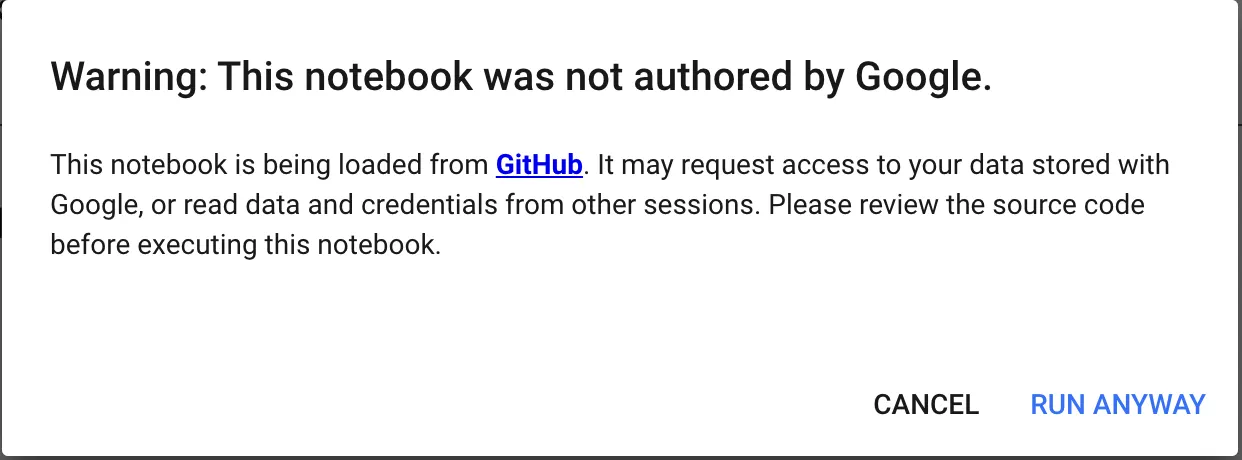
- Click the small play button before Run This Cell to Mount Gdrive. It will show a warning. Click on Run Anyway.
- Wait a while so the script runs smoothly.
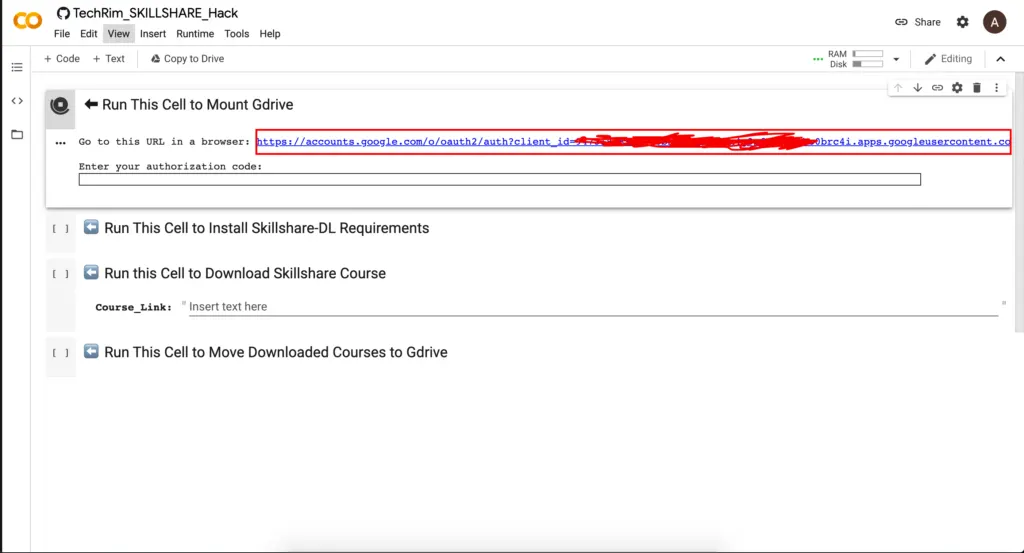
- Once the script has run, it will give you a link and ask you to open it. Click the link and select the Google account where you want to save the course.
- It will ask for some permissions. Click on Allow.
- After you click Allow, it will show a code. Copy that code.
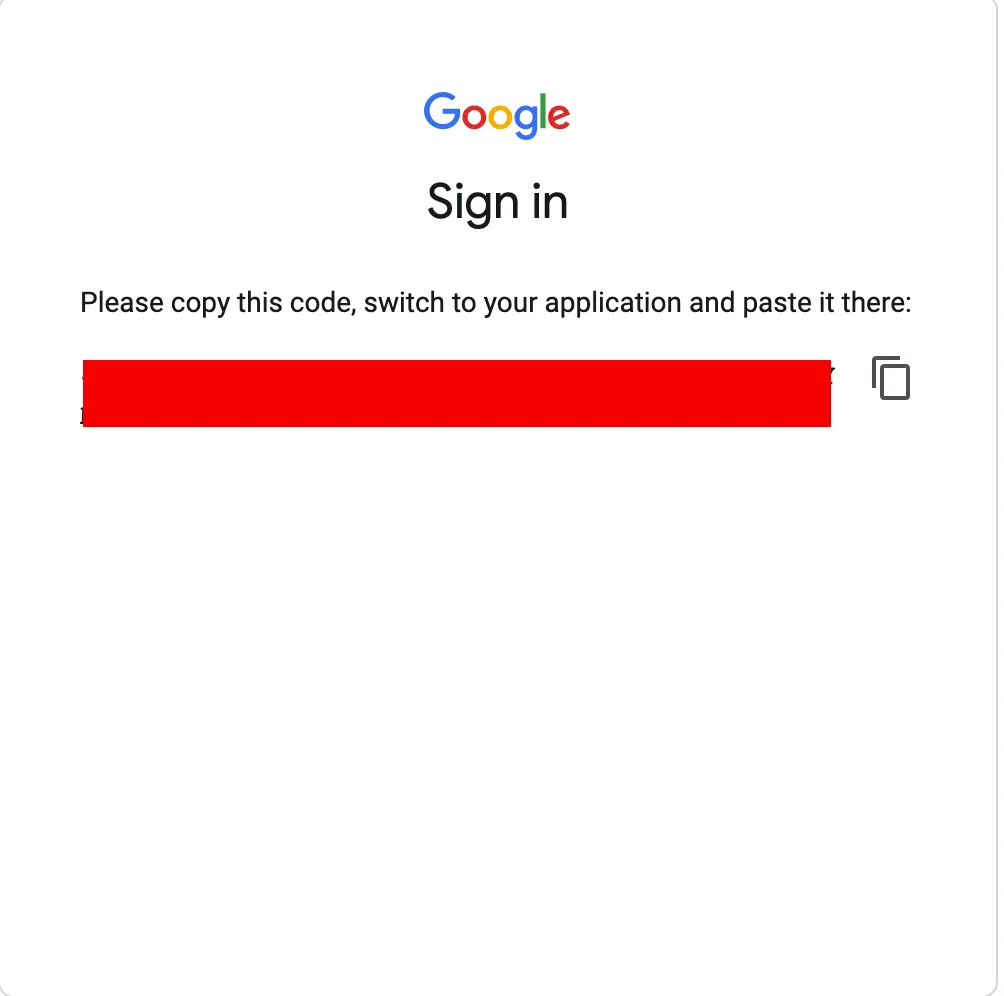
- Go back to Colab, paste the code and press Enter.
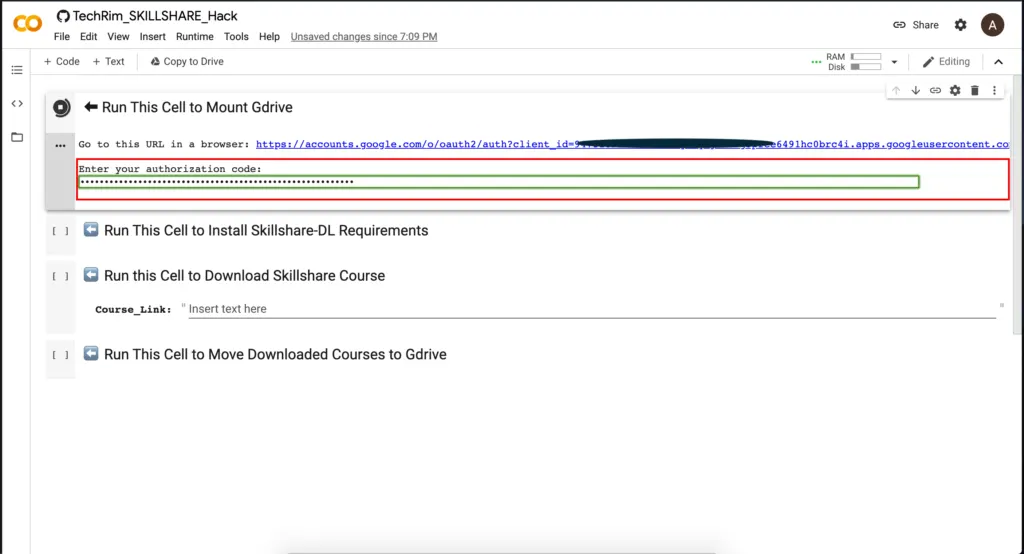
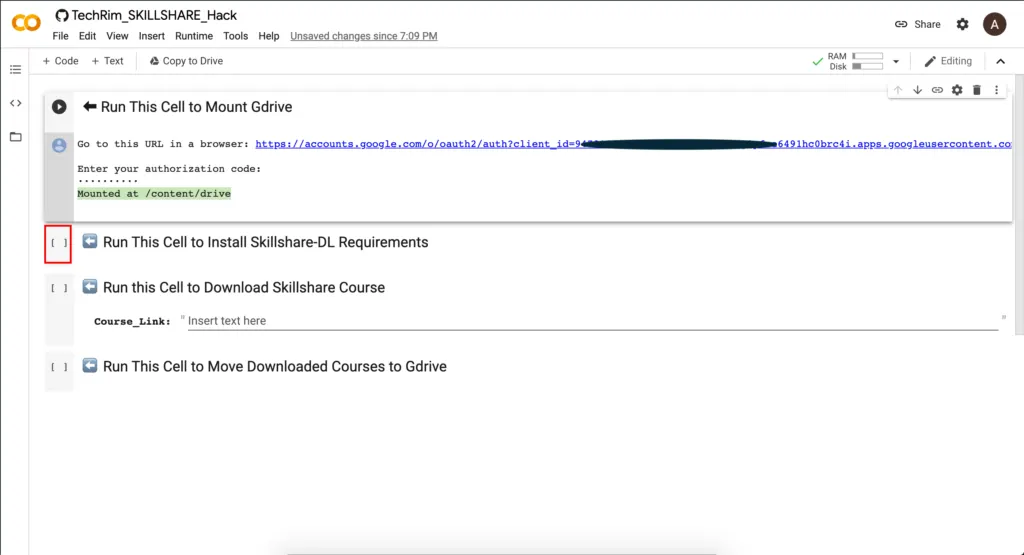
- After pressing Enter, wait a while and let the script run. When it is finished, it will show ‘Mounted at /content/drive’.
- The first part is complete. Now click on the box before Run This Cell to Install Skillshare-DL Requirements. This will take some time, as it installs the requirements in the cloud.
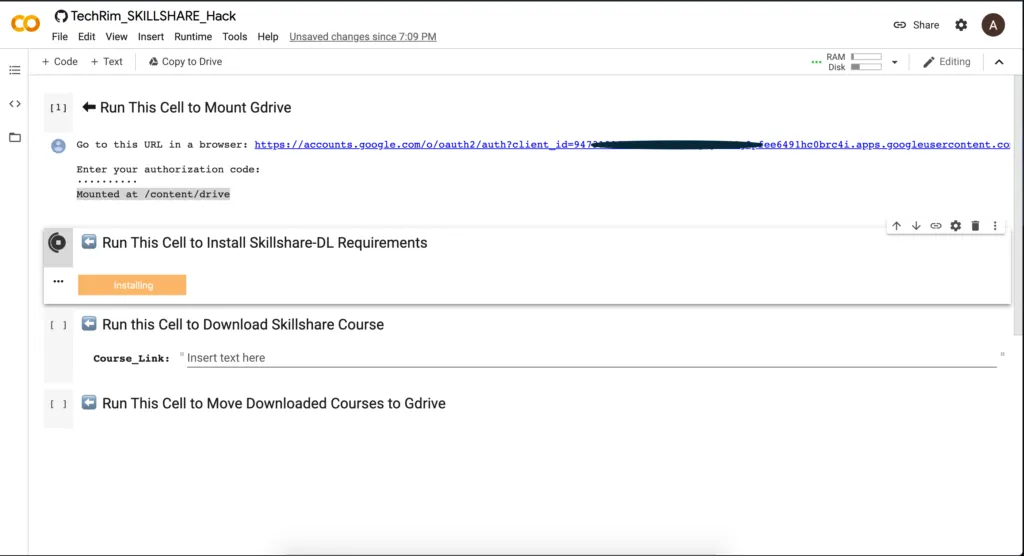
- When the script has finished, it will show ‘Successfully Configured!’. If you see this, you are ready for the next step.
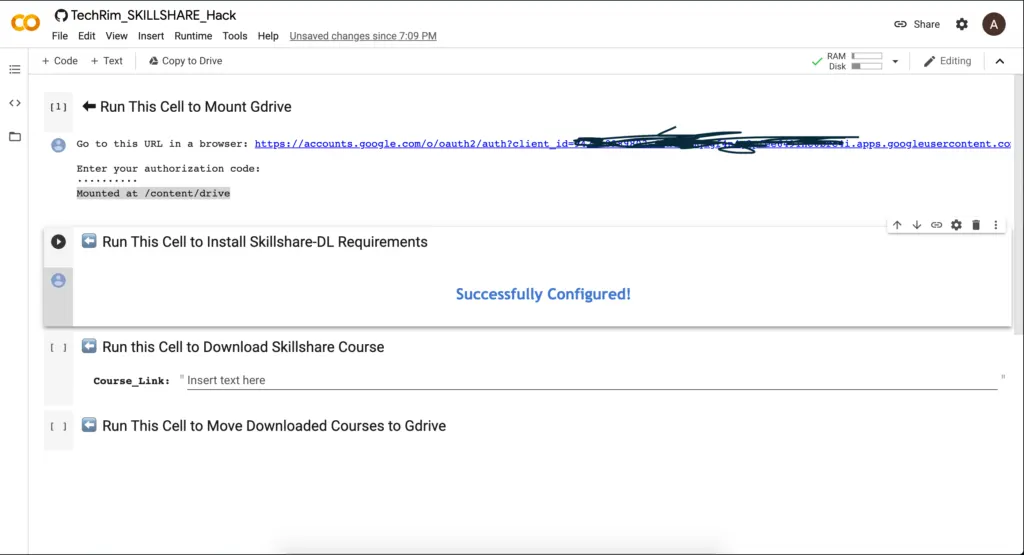
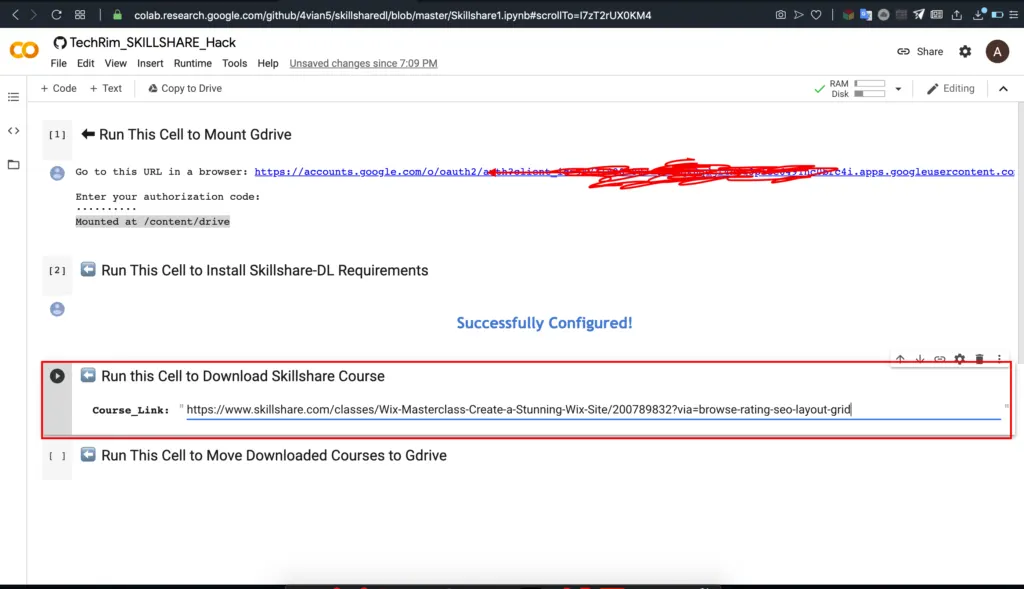
- Now get the link to the Skillshare course you want to download. For example, I will download the course Wix Masterclass: Create a Stunning Wix Site. Here’s the link to the course: https://www.skillshare.com/classes/Wix-Masterclass-Create-a-Stunning-Wix-Site/200789832?via=browse-rating-seo-layout-grid
- Paste the link into the Course link box and click the play button. It will download the course.
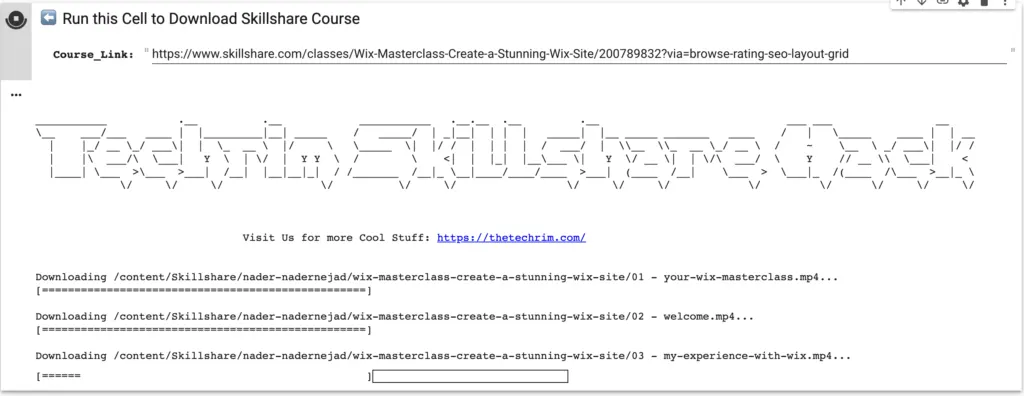
- Wait a while for the full course to download.
- When the whole course has downloaded, click on the box before Run This Cell to Move Downloaded Courses to Gdrive. This moves the course you just downloaded to your Google Drive.
- After clicking it, wait a while, then open your Google Drive. There is a folder called Skillshare-dl. Open it, and inside you will find all the videos of the course you just downloaded.
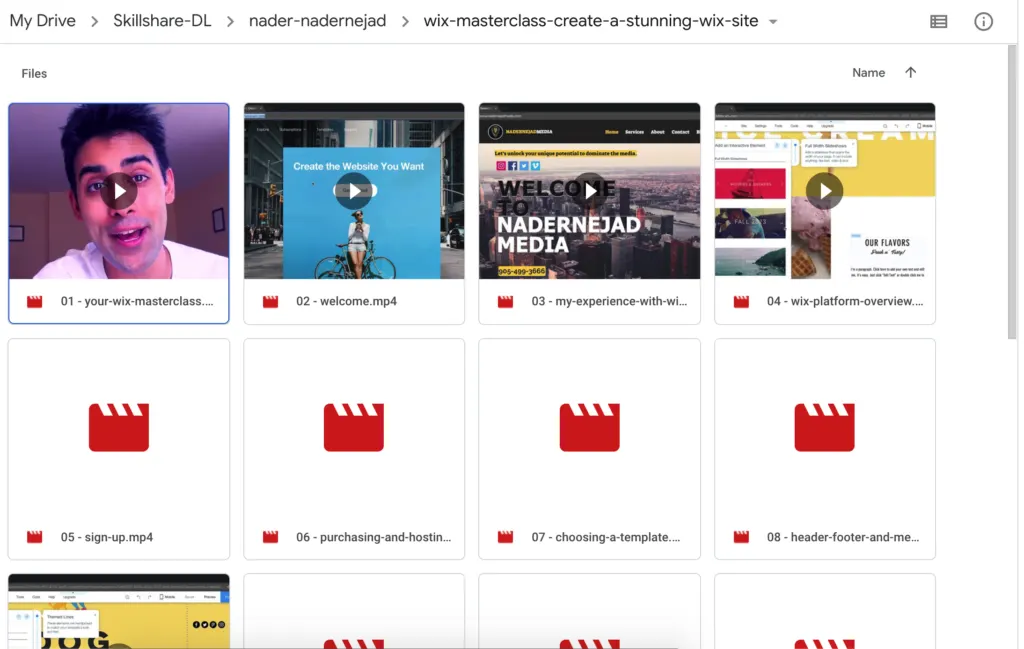
That’s it. We have downloaded a premium course from Skillshare for free, without even registering. We are not responsible for how you use this method. Use it for a good cause. If you like this tutorial and want more like it, keep supporting and visiting us.