7-Zip vs WinRAR: Price, Formats, Security and Which to Use
In this guide
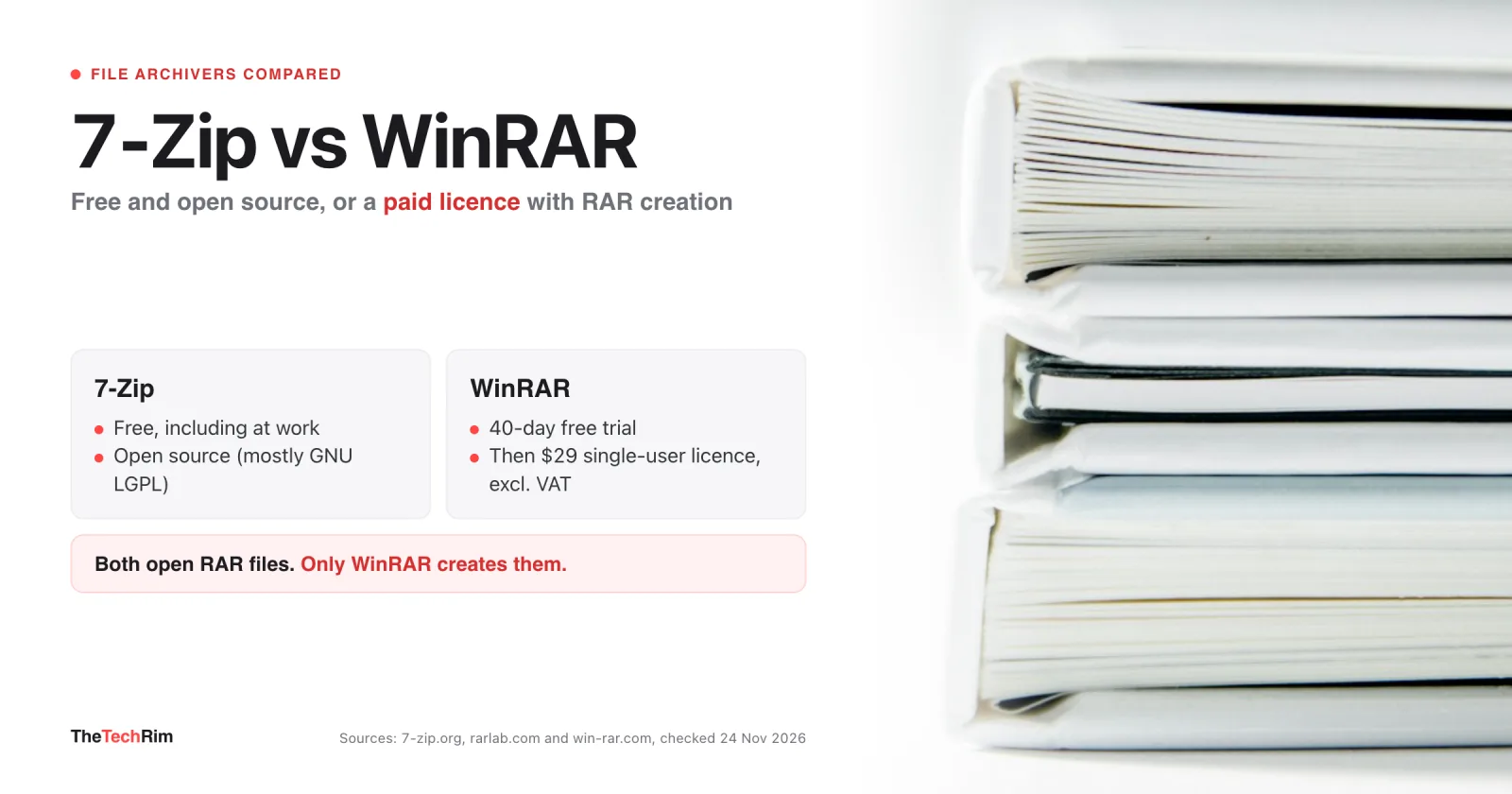
7-Zip covers what most people need at no cost: it is free at home and at work, it opens RAR files, and it creates 7z and ZIP archives. WinRAR is worth paying for if you need to create RAR files or add recovery records that can repair a damaged archive. If you only open the odd ZIP or RAR download on Windows 11 version 24H2, File Explorer may be all you need.
Every fact below comes from the developers' own pages or the US National Vulnerability Database (NVD), checked on 24 November 2026, when the current releases were 7-Zip 26.06 and WinRAR 7.23.
| Feature | 7-Zip | WinRAR |
|---|---|---|
| Price | Free, including at work | 40-day free trial, then $29 for a single-user licence (excluding VAT) |
| Licence | Open source: mostly GNU LGPL, some BSD code, plus the unRAR restriction | Paid licence under the WinRAR EULA, perpetual with no subscription |
| Creates | 7z, ZIP, TAR, GZIP, BZIP2, XZ, WIM | RAR, ZIP |
| Extracts | The formats above plus 32 more, including RAR, ISO, CAB, DMG, MSI and VHDX | RAR and ZIP plus CAB, ARJ, LZH, TAR, GZ, UUE, BZ2, JAR, ISO, 7Z, XZ, Z |
| Encryption | AES-256 in 7z and ZIP | AES with a 256-bit key |
| Recovery record | Not in the 7z format's feature list | Recovery records and recovery volumes |
| Split and self-extracting archives | Split file into volumes; self-extracting 7z | Multivolume and self-extracting archives |
| Windows builds | 64-bit, 32-bit and ARM64 | 64-bit (ARM64 in the 7.30 beta) |
| Linux and macOS | Free console version | RAR, command line only, trial licence |
| Android | None on the official download page | RAR for Android, free |
| Languages | 87 | Over 40 |
Price and licence
7-Zip is free and open source. Its homepage says you can use it on any computer, including one in a commercial organisation, and that you do not need to register or pay. Most of the code is under the GNU LGPL and some parts are under BSD licences. The RAR extraction code carries the unRAR restriction, which forbids using it to re-create the RAR compression algorithm.
WinRAR is try-before-you-buy software. The WinRAR licence agreement says "anyone may use the software during a test period of a maximum of 40 days at no charge. Following this test period, the user must purchase a license to continue using the software." The same agreement says the trial can show a registration reminder, which may load a web page containing licensing instructions or advertising.
RARLAB's order page lists a single-user licence at $29 excluding VAT. Multi-user licences cost $21 per computer for 2 to 9 users, falling to $6 per computer for 500 to 999. The licence is perpetual, with no subscription. A home user's single licence covers every computer and removable drive the owner has, while business users need one licence per computer or device on which WinRAR is installed.
Formats: what each one creates and opens
7-Zip creates seven formats: 7z, XZ, BZIP2, GZIP, TAR, ZIP and WIM. It extracts 32 more, including RAR, ISO, DMG, MSI and virtual disk images such as VHD, VHDX and VMDK. Its FAQ notes that the old 7-Zip 9.20 could not open RAR5 archives, but current versions can.
WinRAR creates RAR and ZIP and unpacks CAB, ARJ, LZH, TAR, GZ, UUE, BZ2, JAR, ISO, 7Z, XZ and Z. Its 7z support uses 7-Zip's code: 7-Zip's FAQ names WinRAR among programs that use its 7za.dll library, and the WinRAR 7.23 release notes say its 7zxa.dll 7z extraction library was updated to version 26.02.
7-Zip cannot make RAR files. It lists RAR as unpacking only, and win-rar.com describes WinRAR as "the only software that can create RAR archives". If someone sends you a RAR file, 7-Zip opens it. If a client or upload form insists on RAR, you need WinRAR.
Both developers make broad compression claims. 7-Zip's homepage says that for ZIP and GZIP it gives a ratio "2-10 % better than the ratio provided by PKZip and WinZip". WinRAR's site claims that "by consistently creating smaller archives, WinRAR is often faster than the competition". Neither publishes a test of the two programs on the same files, so this article gives no ratio or speed figures. The type of file matters too: Microsoft notes that JPEG images are already highly compressed, so zipping them barely changes their size (see the advantages of image compression).
WinRAR features 7-Zip does not list
- RAR creation. 7-Zip lists RAR as unpacking only, and win-rar.com says WinRAR is "the only software that can create RAR archives".
- Recovery records. RARLAB says recovery records and recovery volumes "allow to reconstruct even physically damaged archives". The 7z format's feature list has no recovery record, and 7-Zip's FAQ points to a manual hex-editor procedure for rescuing data from a damaged 7z file.
- Extra tools. WinRAR's site lists a password manager, backup options that keep earlier file versions, a virus scan feature and admin controls. None of these appear in 7-Zip's feature list.
- Android app. RAR for Android is free.
7-Zip features WinRAR does not list
- No cost for anyone. Businesses use it free, with no per-computer licence.
- Open source. The source code is public, mostly under the GNU LGPL. WinRAR's licence forbids decompiling or reverse engineering it.
- More formats to create. 7z, TAR, GZIP, BZIP2, XZ and WIM on top of ZIP.
- Disk images and file systems. 7-Zip opens DMG, APFS, NTFS, VHDX, VMDK and QCOW2, none of which appear in WinRAR's own format list.
- More Windows builds. 7-Zip 26.06 ships x64, 32-bit and ARM64 installers. WinRAR 7.23 is listed as 64-bit, with ARM64 still in beta.
- Free Linux and macOS versions. Both are console programs. RARLAB's versions are command line only and come with a trial licence.
Security and updates
Both programs have had serious vulnerabilities, and both fixed them in later releases, so keep whichever you use up to date.
For WinRAR, NVD lists CVE-2025-8088, a path traversal flaw in the Windows version that "was exploited in the wild", as affecting versions before 7.13. A similar directory traversal flaw, CVE-2025-6218, affects versions before 7.12, and NVD shows it in CISA's Known Exploited Vulnerabilities catalog. WinRAR 7.23 fixed a heap overflow in RAR5 recovery volume code and a symbolic link problem with crafted archives.
For 7-Zip, the change log lists vulnerability fixes in every release from 26.01 to 26.06. CVE-2026-14266, a heap buffer overflow in XZ decompression, affects versions before 26.02. CVE-2026-58052, where 7-Zip did not keep the Mark-of-the-Web on files from a crafted archive, is listed as fixed in 26.03. NVD says that flaw could let an attacker get around SmartScreen and Mark-of-the-Web warnings. An earlier Mark-of-the-Web bypass, CVE-2025-0411, affects versions before 24.09. NVD also shows it in CISA's Known Exploited Vulnerabilities catalog.
Check which version you have, then install the latest release from the 7-Zip download page or the RARLAB download page. Avoid download sites that repackage either program.
WinRAR alternatives
7-Zip is a free alternative, covered above. Two other options are worth knowing.
Windows 11 File Explorer. Microsoft's zip and unzip support page says Windows 11 version 24H2 supports the ZIP, RAR, 7z and TAR archive formats. To make a ZIP, right-click a file or folder and choose Show more options > Send to > Compressed (zipped) folder. Windows 11 version 24H2 does not support encrypted archives, and Microsoft suggests apps such as 7-Zip or WinRAR for those.
PeaZip. PeaZip is free and open source under LGPLv3, built partly on 7-Zip's technology. It offers the same graphical app on Windows, Linux and macOS, and its site says it supports over 200 archive formats.
Which one should you use
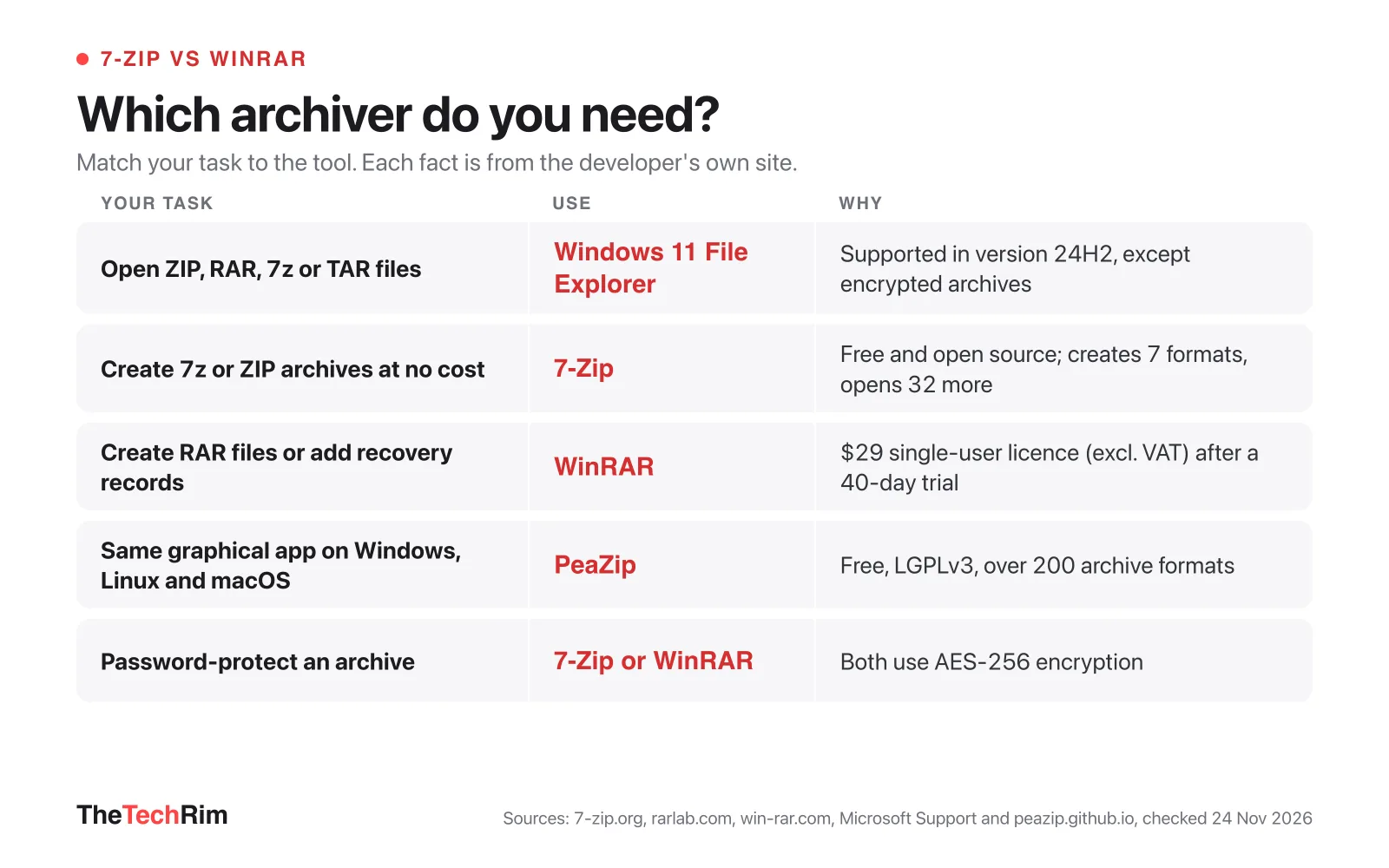
- You only open downloads. On Windows 11 24H2, try File Explorer first. Install 7-Zip if a file will not open.
- You create archives for yourself or to share. 7-Zip handles 7z and ZIP with AES-256 encryption at no cost.
- You must send RAR files or want repairable archives. Buy WinRAR. The $29 single-user licence is perpetual, with no subscription.
- Your company already licenses WinRAR. Keep using it and keep it updated.
FAQ
Is WinRAR free?
No. WinRAR's licence gives you a free test period of up to 40 days, after which you must buy a licence to keep using it. A single-user licence costs $29 excluding VAT on RARLAB's order page and is perpetual. RAR for Android is free.
Can 7-Zip open RAR files?
Yes. 7-Zip extracts RAR archives, including the newer RAR5 format, but it cannot create them.
Is 7-Zip safe to use?
Download it only from 7-zip.org and keep it on the current release. Its source code is public, and its change log lists vulnerability fixes in every release from 26.01 to 26.06, so replace older copies.
Do I need 7-Zip or WinRAR on Windows 11?
Not always. Microsoft says Windows 11 version 24H2 supports ZIP, RAR, 7z and TAR archives, so File Explorer may be enough for those formats. You still need a separate archiver for encrypted archives.
Can WinRAR open 7z files?
Yes. WinRAR unpacks 7z archives, but it creates only RAR and ZIP.