Rufus Alternative: Bootable USB Tools for Mac, Linux and Windows
In this guide
- What Rufus does, and where it stops
- Ventoy vs Rufus
- On Windows: Microsoft's Media Creation Tool
- On a Mac: balenaEtcher and Apple's createinstallmedia
- On Linux: Startup Disk Creator, Fedora Media Writer or Ventoy
- For a Raspberry Pi: Raspberry Pi Imager
- Older tools: UNetbootin and WoeUSB
- Which one should you use
- FAQ
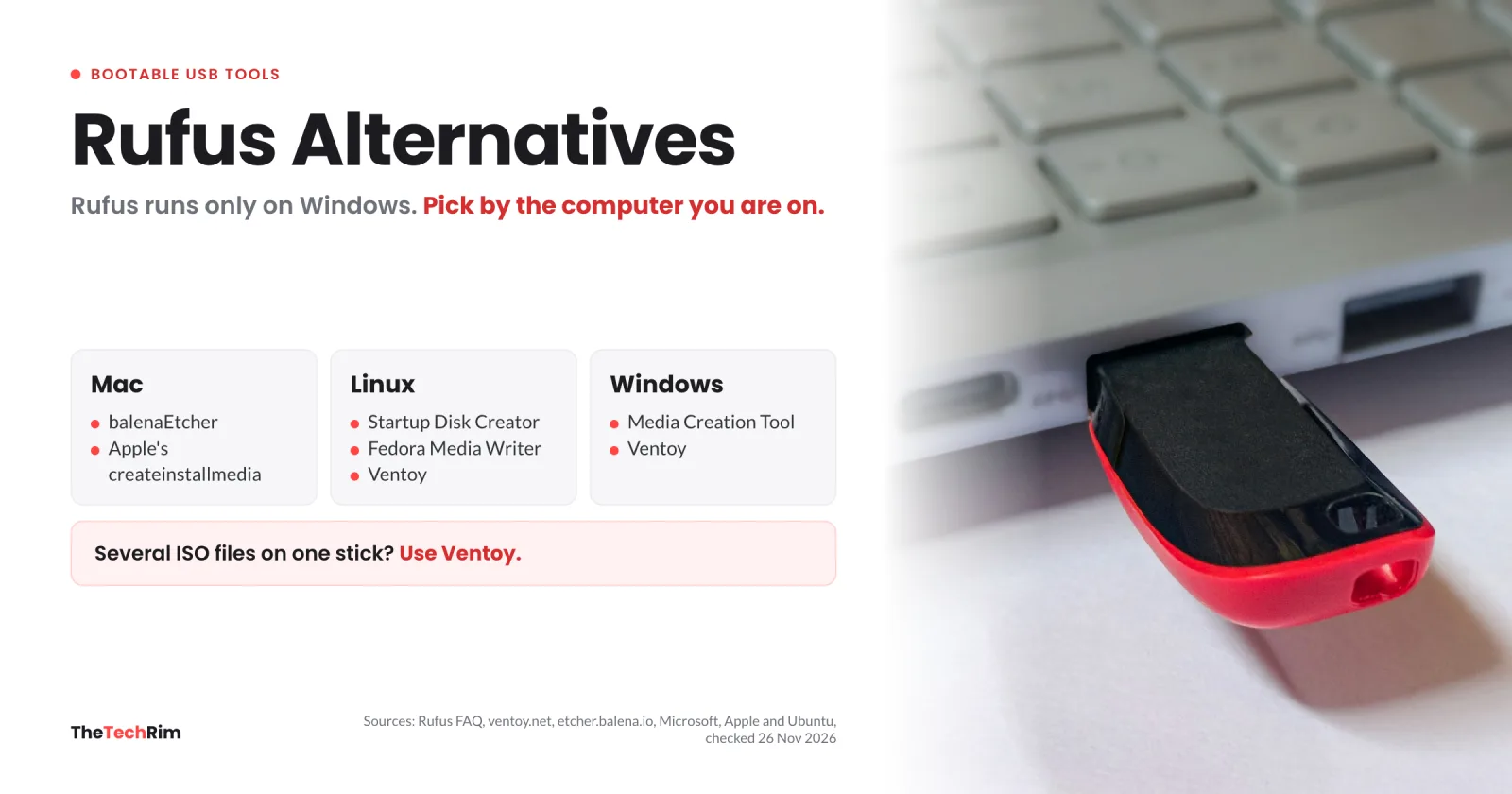
Rufus runs only on Windows, so the right Rufus alternative depends on the computer you are using and what you are putting on the stick. On a Mac or a Linux PC, balenaEtcher writes Linux and other bootable images, and Apple's own createinstallmedia command makes a macOS installer. If you want several ISO files on one stick, use Ventoy. If you only need a Windows 11 installer, Microsoft's Media Creation Tool makes one without a third-party app.
Every fact below comes from the developers' own sites, their official GitHub repositories and Microsoft and Apple support pages, checked on 26 November 2026, when the current releases were Rufus 4.16, Ventoy 1.1.18, balenaEtcher 2.1.9, Raspberry Pi Imager 2.0.12 and Fedora Media Writer 5.3.2.
| Tool | Runs on | Licence | Best for | Main limit |
|---|---|---|---|---|
| Rufus | Windows 8 or later | GPLv3 | One installer from an ISO | Windows only, one image per stick |
| Ventoy | Windows, Linux | GPLv3+ (own code) | Many ISO files on one stick | No macOS version |
| balenaEtcher | Windows 10 and later, macOS, Linux | Apache 2.0 | Linux images on a Mac | No bootable Windows installers |
| Media Creation Tool | Windows | Microsoft download | Windows 11 installer | Media for x64 PCs only |
| createinstallmedia | macOS | Part of the macOS installer | macOS installer | Terminal only |
| Raspberry Pi Imager | Windows, macOS, Ubuntu, Raspberry Pi OS | Apache 2.0 | Raspberry Pi images | Built for Raspberry Pi devices |
| Fedora Media Writer | Linux, Windows, macOS | GPL-2.0 | Fedora | Built around Fedora images |
| Startup Disk Creator | Ubuntu | Part of Ubuntu | Ubuntu on Ubuntu | Ubuntu asks for a 6 GB or larger stick |
What Rufus does, and where it stops
Rufus is a free, open source Windows program that formats USB drives and makes them bootable from an ISO file. Version 4.16, released on 17 November 2026, comes in x64, x86 and ARM64 builds plus a portable version. It needs "Windows 8 or later" and runs without installation.
Two answers in the Rufus FAQ explain most searches for an alternative. Asked whether Rufus will be ported to Linux or macOS, the developer answers "No", partly because Rufus "was designed to work very closely with the Windows APIs". Asked about multiboot, the answer is also "No", and the FAQ points people who want several ISOs on one drive to Ventoy.
Ventoy vs Rufus
Rufus writes one image to the stick each time and erases what was there. Ventoy is installed on the stick once. After that you copy ISO, WIM, IMG, VHD(x) or EFI files onto it and pick one from a boot menu when the PC starts. Ventoy's site says more than 1,400 image files have been tested, ISO files over 4 GB are supported, and the drive stays usable for ordinary files.
- Platforms. Rufus needs Windows 8 or later. Ventoy installs from Windows or Linux. Its downloads are a Windows zip, a Linux archive and a LiveCD ISO, with no macOS version.
- Several systems on one stick. This is Ventoy's main feature. Rufus does not offer it and has no plans to.
- Windows 11 options. Rufus has a Windows User Experience dialog that can remove the TPM and online Microsoft account requirements (the account option only works if the network is unplugged during setup). Microsoft warns that if you install Windows 11 on a PC that does not meet its minimum requirements, that PC "will no longer be supported and won't be entitled to receive updates".
- Secure Boot. Rufus carries the UEFI revocation database (DBX) and checks bootloaders against it, so it can warn you about revoked ones. With Secure Boot on, Ventoy asks you to enrol a key the first time it boots on each computer, and its documentation calls the method "not perfect enough". Its default policy is to "fully bypass secure boot", so EFI files can boot "without any check" unless you change that in its Global Control plugin.
Pick Rufus for a single installer made on a Windows PC, especially if you want its Windows 11 options. Pick Ventoy if you keep several installers or rescue tools on one stick, or if you are on Linux. The Rufus FAQ itself says Ventoy is "most likely what you are looking for" if you want multiboot.
On Windows: Microsoft's Media Creation Tool
For a Windows installer, Microsoft's own tool is the direct route. The Windows 11 download page says you need a licence (or a Windows 10 device that qualifies for the upgrade), an internet connection and "a blank USB flash drive with at least 8GB of space". Anything on the drive is deleted, and you must be an administrator to run the tool. It makes media only for x64 PCs, not Arm-based ones. A Windows 10 version still exists, but Windows 10 stopped getting free security updates after 14 October 2025.
On a Mac: balenaEtcher and Apple's createinstallmedia
balenaEtcher is a free, open source flasher for Windows 10 and later, macOS (Intel and Apple silicon) and most Linux distributions on Intel 64-bit PCs. It checks what it wrote and hides system drives by default, so you are less likely to wipe your own disk. Ubuntu's own tutorials use Etcher on macOS and, for an Ubuntu stick, recommend it over Rufus for most users. Its limit is Windows: balena's FAQ says "Windows images are not bootable without extra treatment that etcher is not designed to do".
For a macOS installer, use Apple's method. Download the full installer (for example Install macOS Tahoe), rename the USB drive MyVolume and run one command in Terminal:
sudo /Applications/Install\ macOS\ Tahoe.app/Contents/Resources/createinstallmedia --volume /Volumes/MyVolumeThe drive is erased. Apple says a 32 GB drive "has more than enough storage space for any macOS installer" and that the steps are "primarily for system administrators and other experienced users".
Among these tools, a Windows installer is the gap on a Mac. Etcher says it cannot make one, Ventoy's downloads include no macOS version, and Microsoft's tool is a Windows .exe: its Windows 10 download page tells Mac visitors their system "won't support" the media creation tool. Borrow a Windows PC for Rufus or the Media Creation Tool, or use Ventoy on Linux.
On Linux: Startup Disk Creator, Fedora Media Writer or Ventoy
On Ubuntu, Startup Disk Creator is installed by default, and Ubuntu's tutorial asks for a USB stick of 6 GB or more. If it is missing, sudo apt install usb-creator-gtk adds it.
Fedora Media Writer runs on Linux, Windows and macOS. It can download a Fedora image and write it to the drive, and its Restore feature returns the stick to a normal single partition afterwards. For other systems, Ventoy and balenaEtcher both run on Linux, and Ventoy also boots Windows ISOs.
For a Raspberry Pi: Raspberry Pi Imager
Raspberry Pi Imager is Raspberry Pi's own tool "for creating bootable media for Raspberry Pi devices". It runs on Windows, macOS, Ubuntu and Raspberry Pi OS. Its GitHub page says it collects anonymous usage statistics by default, which you can switch off under App Options.
Older tools: UNetbootin and WoeUSB
UNetbootin runs on Windows, Linux and macOS, but its latest GitHub release (702) dates from February 2021, and its site says ISO files for non-Linux systems should not be expected to work. WoeUSB, which makes Windows installers on Linux, last published a release (5.2.4) in November 2021, and its rewrite, WoeUSB-ng, lists Windows images only up to Windows 10. Ventoy, last released in October 2026, boots both Linux and Windows ISOs.
Which one should you use
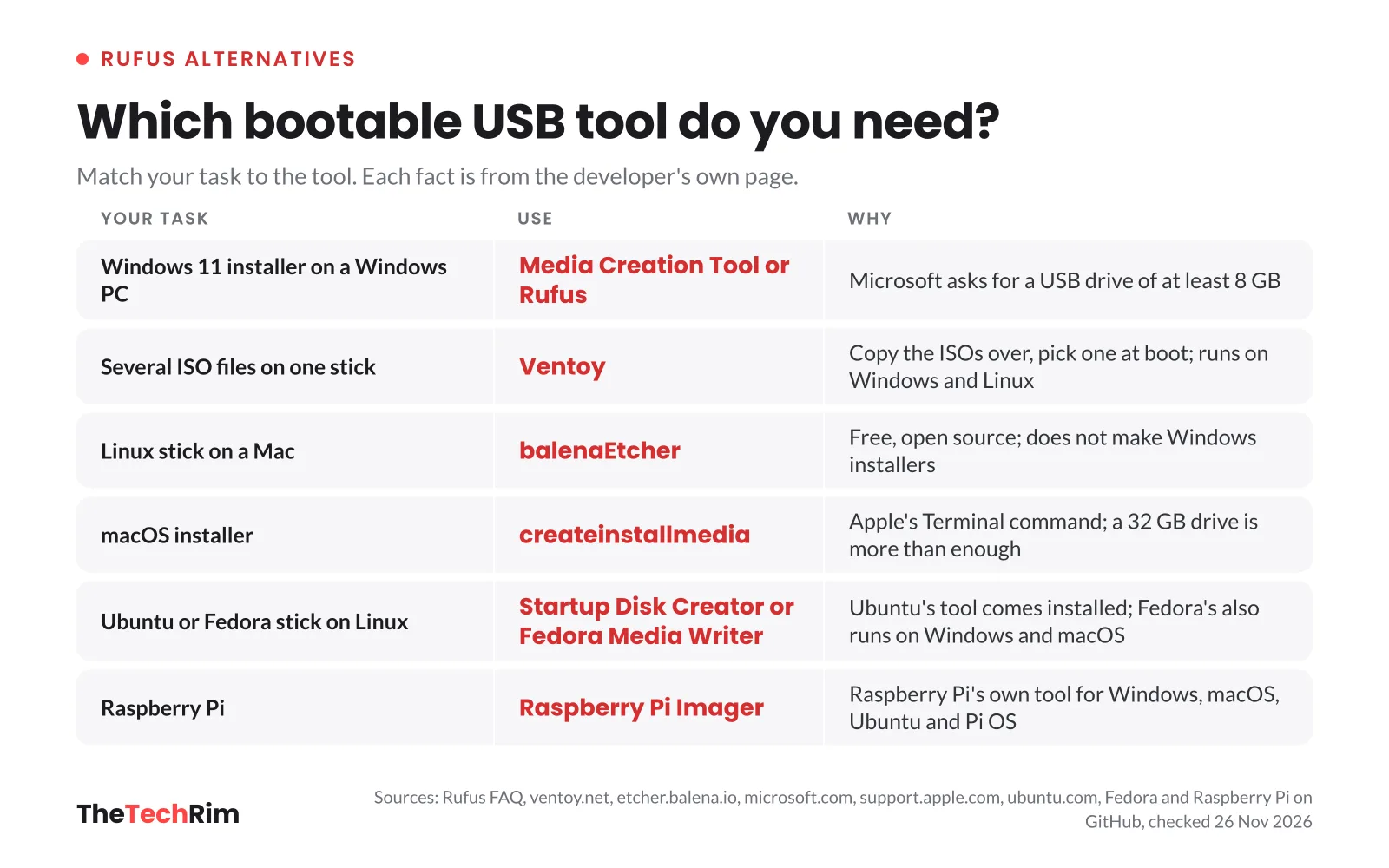
- Windows, one installer. Keep Rufus, or use the Media Creation Tool for Windows 11.
- Several ISOs on one stick. Ventoy, on Windows or Linux.
- A Linux stick on a Mac. balenaEtcher.
- A macOS installer. Apple's createinstallmedia command.
- Linux. Startup Disk Creator on Ubuntu, Fedora Media Writer for Fedora, Ventoy for Windows ISOs.
- A Raspberry Pi. Raspberry Pi Imager.
Once the stick is ready, restart the PC and press its boot menu key to start from the USB drive; the boot menu key finder lists the key by brand. When you no longer need it, you can revert the bootable USB back to normal and get its full space back.
FAQ
Is there a Rufus for Mac or Linux?
No. The Rufus FAQ says there are no plans to port it to Linux or macOS. On a Mac, use balenaEtcher for Linux images or Apple's createinstallmedia for macOS. On Linux, use Ventoy, Etcher or your distribution's own tool.
Can balenaEtcher make a Windows 11 USB?
No. Balena's FAQ says Windows images need extra treatment that Etcher is not designed to do. Use the Media Creation Tool or Rufus on a Windows PC, or Ventoy.
What size USB drive do I need?
Microsoft asks for at least 8 GB for a Windows installer. Apple says 32 GB is more than enough for any macOS installer and 16 GB is enough for most earlier versions. Back up the stick first: Microsoft, Apple and Ventoy all say the drive is erased.
Can I still store files on a Ventoy stick?
Yes. Ventoy's guide says you can use it as a plain USB drive for files without affecting its boot function, and updating Ventoy leaves your files on the first partition unchanged.