Top 10 Benefits of Google Maps for Users
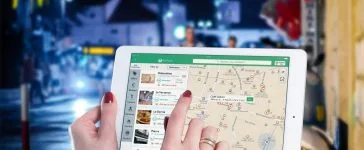
Google Maps is a free web mapping service and technology provided by Google. Its popularity comes from the services it provides for business and personal use, such as creating custom maps based on the user’s location (for example, local businesses) and showing traffic conditions. Google also offers a free Maps mobile app for iPhone, BlackBerry and Android phones.
In addition to the web version of Google Maps, several applications are available. These include Google Earth, a virtual globe program that lets users see satellite imagery of places around the world; iPhoto, an application that lets users view their maps either as a slideshow or as individual maps; and Picasa, an image viewer that lets users view their personal maps as images.
You can easily check traffic to home or traffic to work. Google Maps is one of the best platforms for helping users reach their destinations.
Some people may not be aware of all the benefits Google Maps offers. Here is a list of some of our favorites:
- Find Addresses for Free: The site provides street addresses, city locations, phone numbers, zip codes and even satellite imagery.
- Get Directions Instantly: An advantage of Google Maps is that users can build a voice-guided navigation system by adding markers for parking, restaurants, hospitals or any other point of interest to the map. Users can then easily get directions from one location to another by clicking “Get Directions”.
- Find Parking: Users can find the cheapest available parking garage in a specific area based on their destination and the time of day, including real-time availability and pricing. This saves them from driving around looking for a spot when they’re in a hurry.
- See Where Your Friends Are: With the Google Latitude application, users can see their friends on a map in real time.
- Explore Historical Data: Google offers great historical imagery that can be used for research or simply for entertainment.
- View Traffic Conditions: This Google Maps feature is very helpful when planning your daily commute, because it shows live traffic conditions on major highways and roads.
- Call a Business Directly from Google Maps: Users can get more information about businesses, view ratings and opening hours, and call the business directly with one click of the mouse or one tap on their mobile screen.
- Search for Businesses Near You: This tool is very useful because it lets users see how much a business would cost to rent or buy and what the tax rate is, view pictures and even get driving directions.
- Explore Places of Interest: Google has compiled an extensive list of places photographed in 360-degree street-level images. Users can click on the map to see different areas, or add a street view of their own business, home or favorite location.
- View Street View: This option lets users explore cities around the world by simply clicking an image placed on the Google Map.
Google Maps is one of our favorite technologies because it provides so many different services in one place. It’s convenient, easy to use and much more cost-effective than buying an expensive GPS device.