Spotify Premium Free: Methods for Android, Windows and iOS (Updated for 2026)
Spotify Premium Free
If you love listening to music, you are probably using Spotify. Spotify is a digital music service that gives you access to millions of songs. But like many other apps, it is a paid app. You have to pay a monthly fee of $9.99 for the premium plan. There are other plans too, like Spotify Student and Family Premium, at different prices.
Here are some tips for using Spotify Premium for free on Android, iOS and Windows. We are not the original writers of these guides, so we don’t take any credit. There isn’t a single article on the internet about Spotify Premium Free that covers every device (Android, iOS and Windows). They are scattered, so we collected them in this article. At the end of each part, we mention the source. Note: if you like their service, the price is worth paying. We don’t encourage you to stop paying and use hacks instead.
Method for Android
To use Spotify Premium for free on Android, we will use a modded app. It is not the official Spotify app. Some developers have edited the app so that the premium features can be used for free.
Features of this modded app:
- Unlimited skips
- Unlock repeating
- Unlock shuffling
- Unlock seeking
- Unlock track selection (works)
- Bypass ads
- Bypass DRM
To block ads: A) Be rooted. B) Install AdAway. C) Add http://adblock.mahakala.is or http://moaab.tk/hosts.txt to your sources list. D) You can try freezing or disabling ProxyHandler.
How to Install (Original Version)
SAI (Split APKs Installer) is an app that lets you install multiple APKs as if they were a single package. This is useful for installing apps that are distributed as App Bundles, since Android provides no built-in way to install them from sources other than Google Play.
How to use SAI?
Tap the “Pick APKs” button, select the base APK as well as the additional configuration-specific APKs, then tap the “Select” button to start the installation.
Also Read: Read Any Article for Free: How to Bypass Paywall Subscriptions
How to Install (Beta Mod)
- Your device must be rooted to activate the mod
- Uninstall any previous version of Spotify Music (skip if not installed)
- Download and install the beta MOD APK from the links given below
- Open Spotify and log in
- Download and install Xposed Framework from the links given below (guide included)
- Download and install the Spotify Skip APK from the links given below
- Activate the Spotify Skip module
- Restart your device
- Done
How to Install (Final Mega Mod)
- Uninstall any previous version of Spotify Music (skip if not installed)
- Download and install the Mega MOD APK from the links given below
- Done
Download link for the mod: Go Here Source: https://rexdl.com/android/spotify-music-apk-mod-download.html/
Method for iPhone
As with Android, on iPhone we will use a modded app called Spotify++. To use this app on an iPhone, you don’t need a jailbreak or anything else.
To download Spotify++, you need to install Ignition on your iOS device. Ignition is a third-party app store for iOS. It is free to download, install and use, and you don’t need to jailbreak your iOS device to use it.
Steps to Download Spotify++
- Install Ignition on your iOS device. If you don’t know how to install Ignition, check the steps here: “IGNITION APP DOWNLOAD“.
- Don’t forget to trust the Ignition profile after a successful installation.
- Next, launch Ignition and you will see an interface very similar to the App Store.
- Search for ‘Spotify++’ in the store.
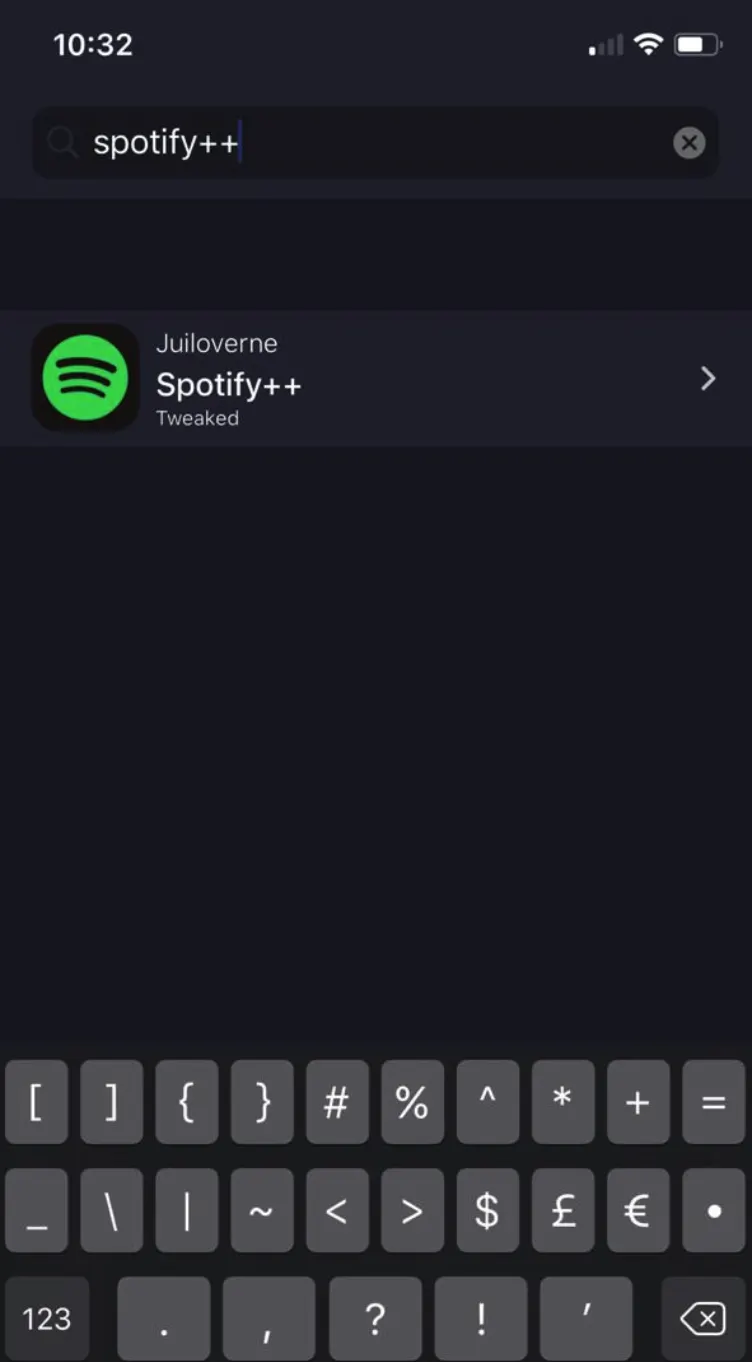
spotify premium free - Tap the matching search result to open the app information screen.
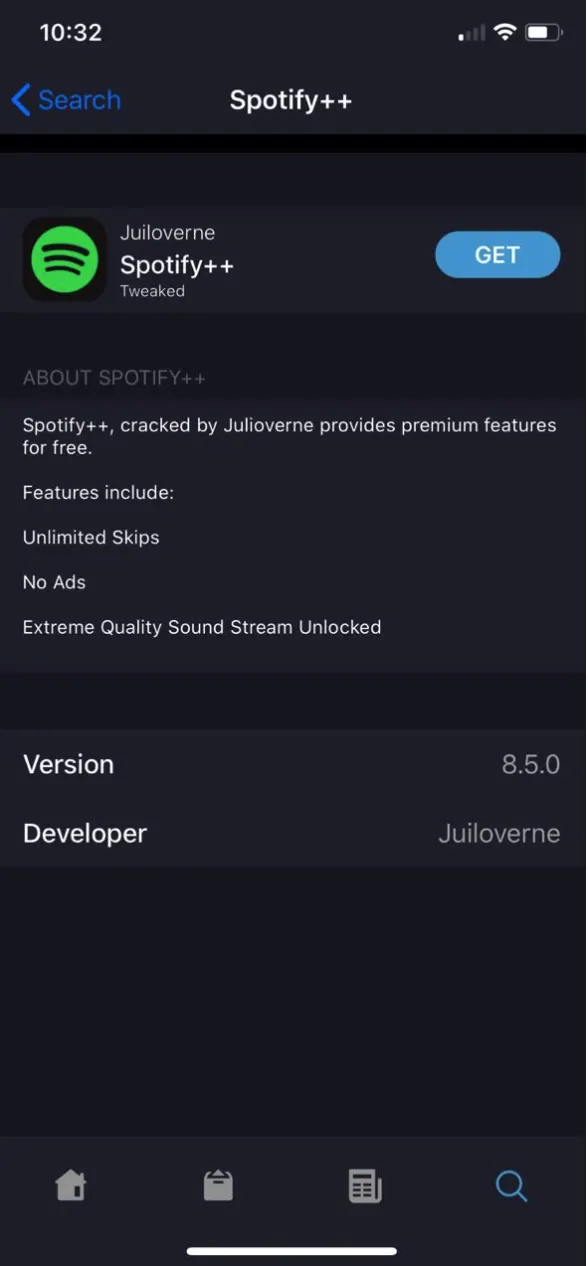
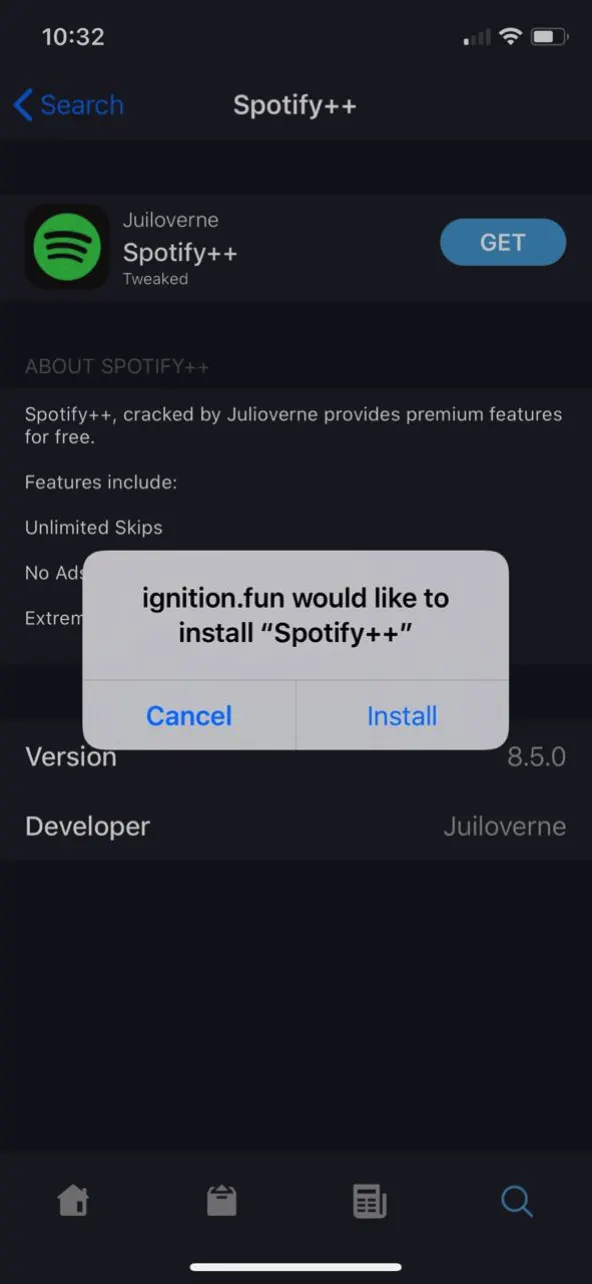
spotify premium free - Tap ‘Install’ to start the download and installation. Tap ‘Install’ again on the pop-up that appears next.
spotify premium free - Monitor the installation progress from the home screen of your iOS device.
- Once the installation is complete, make sure you trust the Spotify++ profile.
- Next, launch Spotify++ and start streaming your favorite tracks.
Pros of Spotify
- Unlimited streaming of 35 million tracks.
- Compatible with almost every platform.
- User-friendly interface.
- A 30-day free trial is also available.
- Offline mode lets you listen to music when you don’t have internet.
Cons of Spotify
- Some songs have ads in them.
- Only the European version has the Rdio feature.
- There is no alternative email option for sign-up.
Source: https://ignitionapp.fun/spotify-plus/
Method for PC:
Note: this only works on Windows PCs, not Android, iOS or Mac. This mod is for the Desktop Application of Spotify on Windows, not the Microsoft Store version.
How does it work?
You will replace 2 files in your Spotify folder with modded files. This gives you A multi-purpose adblocker and skip bypass for the Windows Spotify Desktop Application.
How to do it?
Close Spotify. Go to the GitHub project BlockTheSpot and download the latest release. You only need the file named chrome_elf.zip. After that, you can follow the official guide on GitHub or the steps here. If this post gets outdated, check there that nothing has changed.
- Browse to the Spotify installation folder
%APPDATA%/Spotify
- Back up the existing
chrome_elf.dllby renaming it (e.g. chrome_elf.bak) - Extract chrome_elf.dll and config.ini from chrome_elf.zip to that folder.
That’s it. What do you get from it?
- Blocks all banner, video and audio ads within the app
- Retains friend, vertical video and radio functionality
- Unlocks the skip function for any track
How do I remove it?
- Browse to the Spotify installation folder
%APPDATA%/Spotify
- Delete chrome_elf.dll and config.ini from your Spotify installation
- Rename your backup DLL to chrome_elf.dll
- Or reinstall Spotify
Note: the Spotify installer replaces “chrome_elf.dll” each time it updates, so make sure to replace it again. Always download the latest build from the GitHub page. If you like it, remember to support Spotify by buying Premium.